Productivity
Facet
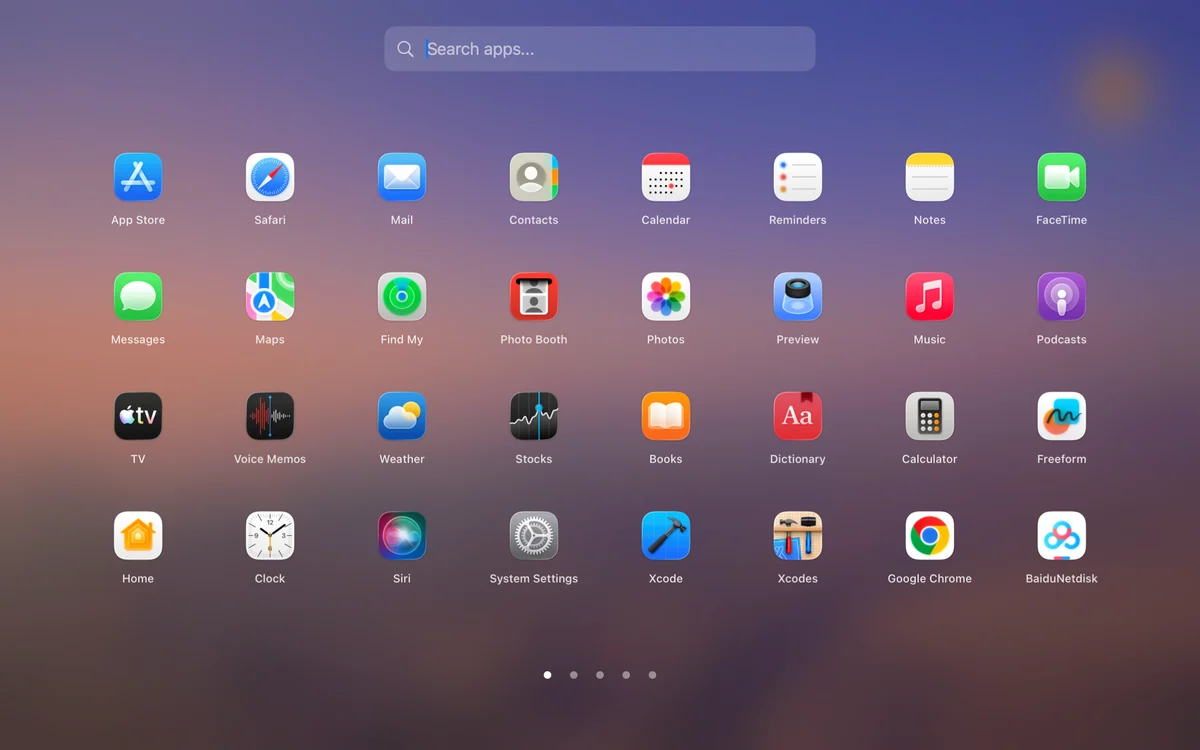
Facet is a visual launcher for Mac users who miss browsing applications in a Launchpad-style grid instead of beginning every launch with a text search.
Free + paid options · Pricing details
Screenshots
macOS 14.0+ declared by Facet 1.0.25 Sparkle ZIP
Availability
Available for macOS
Apple Silicon; No Intel
Mac support
macOS 14.0+ declared by Facet 1.0.25 Sparkle ZIP
Overview
Overview checked .
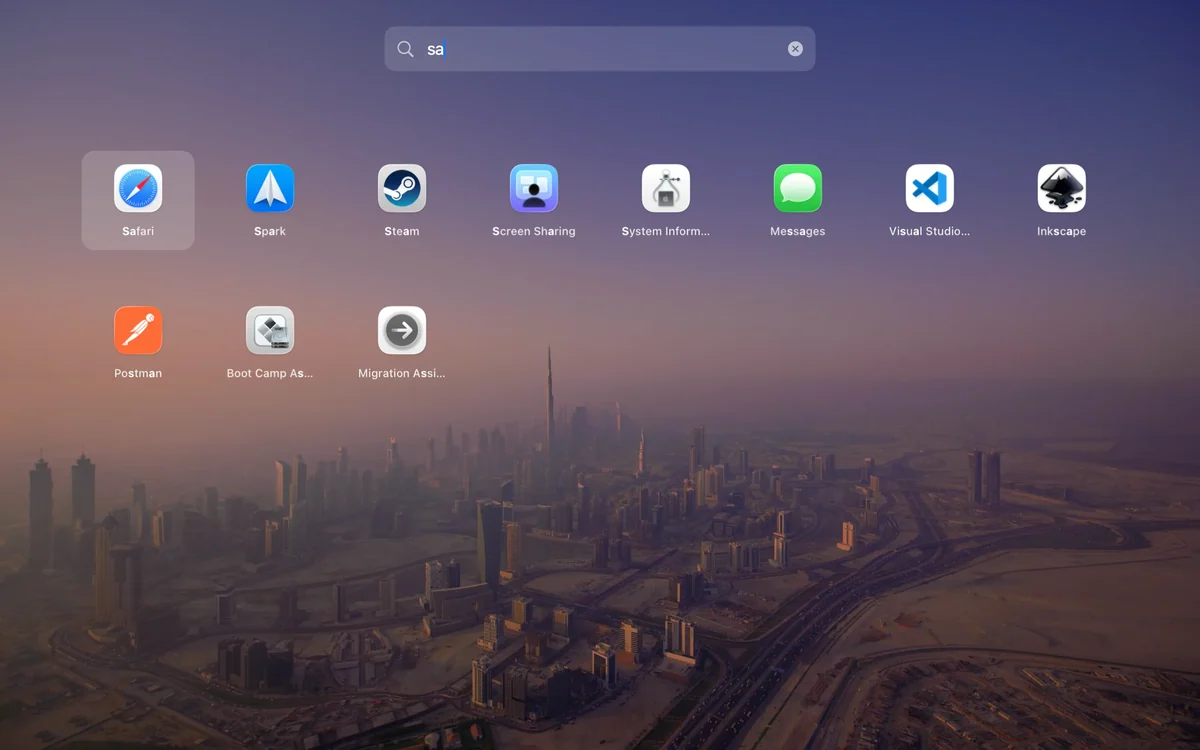
Facet is a visual launcher for Mac users who miss browsing applications in a Launchpad-style grid instead of beginning every launch with a text search. The permanent Free edition includes a full-screen app grid, keyboard search, folders, ordering, a global shortcut, and Launchpad layout import. Those tools can make a large installed-app collection easier to scan without rebuilding a menu-bar utility or a general command palette. Facet Pro is an optional paid one-time upgrade with a 14-day trial that does not require a card or convert into a subscription; it adds a compact floating panel, appearance controls, hot corners, hidden apps, aliases, and Dock or menu-bar icon customization. Quartz says the app runs locally without telemetry or ad tracking, a useful boundary for a launcher that can see installed apps. The official site now offers Facet 1.0.25. The 1.0.25 Sparkle ZIP declares macOS 14.0+ in its main app metadata. The previously inspected 1.0.15 DMG was arm64-only; current CPU support and runtime compatibility were not verified. Facet is best when visual browsing and folders are part of the habit; a search-first launcher may be a smaller fit for people who rarely want the full grid.
What it does
- Browse and launch installed apps from a full-screen visual grid with keyboard search, folders, ordering, a global shortcut, and Launchpad layout import in the permanent Free edition.
- Use the optional Pro upgrade for a compact floating launcher, wallpaper and glass controls, hot corners, hidden apps, aliases, and Dock or menu-bar icon customization.
- Install the current Developer ID-signed and Apple-notarized Facet release from its DMG or signed Sparkle update path.
- The previously inspected Facet 1.0.15 DMG contains an arm64 executable. The official site now offers 1.0.25, whose CPU architecture was not checked in this maintenance review.
Ways to use it
- Use the global shortcut to browse a familiar app grid, open a folder, and launch an installed application without moving through a text-only launcher.
- Import an existing Launchpad layout, then refine folders and ordering instead of reorganizing an entire application collection from scratch.
- Start with the permanent Free grid and keyboard search, then use the no-card Pro trial only when a compact panel, hot corner, or appearance controls solve a real launch habit.
Before you download
- Facet Pro is a separate optional paid one-time upgrade. Its 14-day trial returns to the Free edition and keeps Pro preferences, but the compact mode and advanced controls are not part of Free; check the current official page for its price.
- The Facet 1.0.25 Sparkle ZIP declares macOS 14.0 as its minimum in main app metadata. The manual DMG minimum and runtime compatibility were not verified; confirm the compatible download channel.
- The previously inspected official Facet 1.0.15 DMG was arm64-only. This is not evidence of CPU support for the current 1.0.25 download.
Sources and last checked
This overview uses official or authorized sources, not hands-on testing. Each link shows what was checked and when. Prices, compatibility, and availability can change.
- Developer website · facet.quartz.ink
https://facet.quartz.ink/
Checked
Mac requirements · Features and usage
- Release notes · facet.quartz.ink
https://facet.quartz.ink/releases
Checked
Mac requirements
- Source repository · github.com
https://github.com/QuartzInkStudio/Facet
Checked
Mac requirements
- Release notes · facet.quartz.ink
https://facet.quartz.ink/releases/Facet-1.0.15.dmg?download=1
Checked
Mac requirements · App images · Features and usage
- Developer website · facetlauncher.com
https://facetlauncher.com/
Checked
Downloads
- Release notes · github.com
https://github.com/QuartzInkStudio/Facet/releases/tag/v1.0.25
Checked
Mac requirements · Features and usage
- Release notes · facetlauncher.com
https://facetlauncher.com/releases
Checked
 Developer website · facet.quartz.ink
Review details
- Recorded version reference
- 1.0.29
Related apps
- AlfredAlfred is a keyboard-first Mac launcher that can search applications, files, web searches, and selected system features from one command window.By Running with Crayons · alfredapp.com
- RaycastRaycast is a keyboard-first command surface for Mac users who want to launch apps, find files, run built-in utilities, and reach smaller workflow tools without opening a chain of separate windows.By Raycast · raycast.com
- Things 3Things 3 is a task manager for people who want one place to capture commitments, turn them into projects, and decide what deserves attention today.By Cultured Code · culturedcode.com