Productivity

Raycast

Raycast is a keyboard-first command surface for Mac users who want to launch apps, find files, run built-in utilities, and reach smaller workflow tools without opening a chain of separate windows.

Apple SiliconFree plan with paid Pro, Teams, and Enterprise plans
Official destinationsFree plan with paid Pro, Teams, and Enterprise plans · Freemium subscription

macOS Tahoe for the reviewed V2 beta

Availability

Available for macOS

Apple Silicon; No Intel

Implementation

Mac launcher and extensions application

Evidence last checked

Verification

2026-08-21

Reviewed Overview

Raycast is a keyboard-first command surface for Mac users who want to launch apps, find files, run built-in utilities, and reach smaller workflow tools without opening a chain of separate windows. Its root search can bring together commands, snippets, quicklinks, clipboard history, window management, and extensions in one interface. The free tier includes the core feature set and access to the public Extensions Store, while Pro adds account-backed features such as Raycast AI, Cloud Sync, custom themes, and expanded history and notes. That split matters: the paid plan includes AI, and its subscription renews unless cancelled. Raycast also offers limited free AI messages and supports compatible bring-your-own API keys or local Ollama models, but those choices are not a substitute for checking the current plan and provider terms. The current official quickstart documents the V2 beta for macOS Tahoe and Apple silicon, so people on older Macs or different hardware should confirm the appropriate current download before changing their daily launcher. It is best for users willing to learn a hotkey and assemble a personal command set; a lightweight single-purpose app may be clearer for someone who only needs one utility.

Reviewed Features

  • Open apps, commands, files, folders, and utilities from Root Search instead of navigating each task through Finder or a separate menu.
  • Use built-in Clipboard History, Snippets, Quicklinks, Calculator, Window Management, and Hyper Key tools on the Free plan.
  • Install public extensions from the Extensions Store and add custom extensions when a workflow needs a developer-built command.
  • Use Pro for Raycast AI, Cloud Sync, Translator, unlimited notes, unlimited clipboard history, custom themes, and custom window management.

Reviewed Workflows

  • Set a hotkey, search for an app, file, or command, and keep the next action inside the command panel instead of opening several launch surfaces.
  • Install an extension for a repeated service or tool, then call it from Root Search alongside the built-in commands.
  • Try the limited free AI messages or a compatible personal API key before deciding whether the Pro subscription and its AI features fit the work.

Cautions

  • Raycast Pro includes AI and renews on a monthly or yearly subscription unless cancelled, so users who only need the core launcher should compare the Free plan first.
  • The current official quickstart lists the V2 beta for macOS Tahoe and Apple silicon; older Macs or a different current release path need confirmation before installation.
  • Cloud Sync and Pro features are account-based, so shared snippets, quicklinks, or extensions should be planned around the intended account and organization setup.

Verification Sources

These official or authorized sources support only the fact groups listed with each link. They were checked on the date shown; pricing, compatibility, and availability can change.

Screenshots

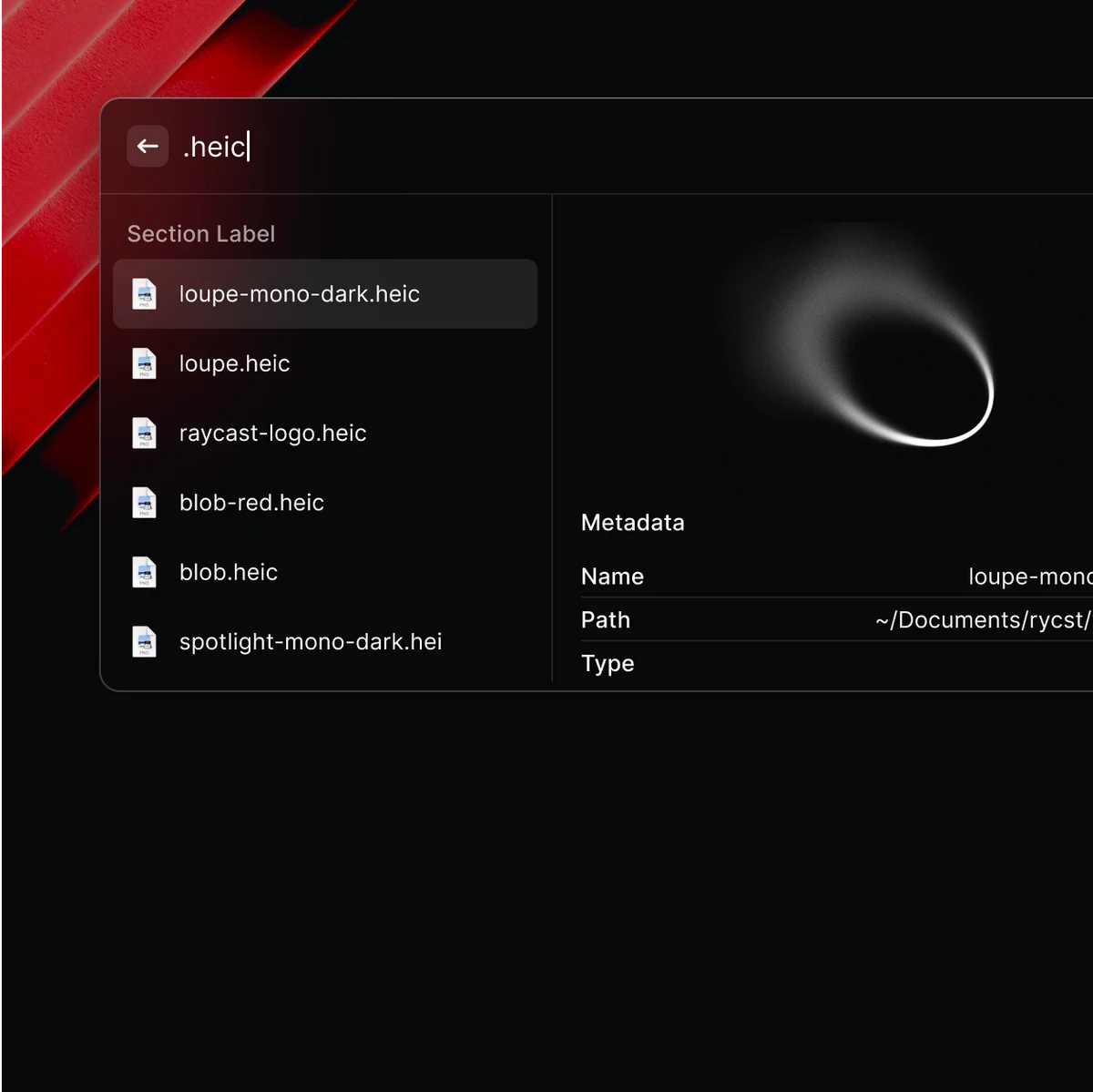
Raycast on Mac showing a file search result panel over a dark desktop workspace.
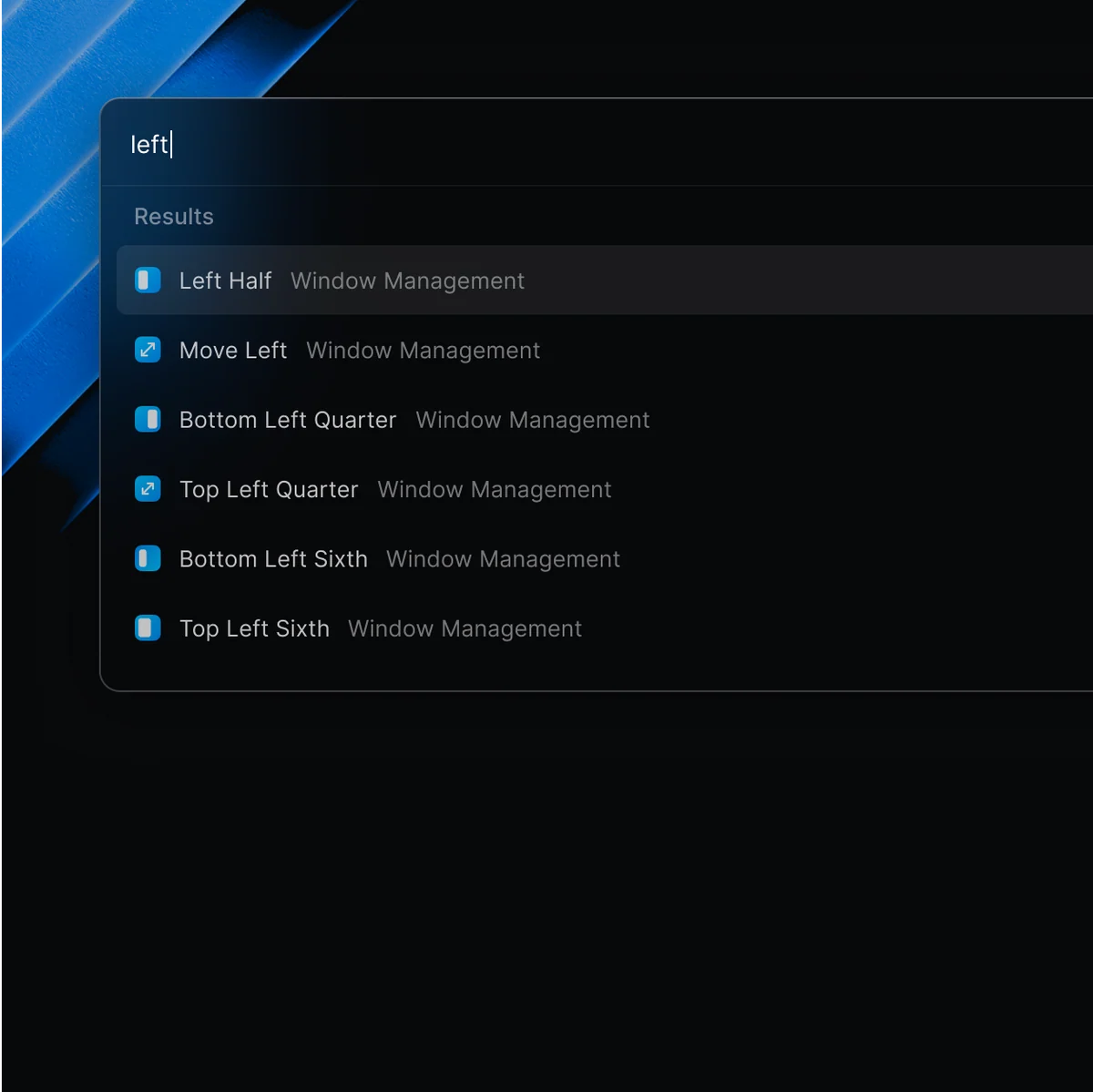
Raycast on Mac showing a window-management command panel and a keyboard-driven placement workflow.

Reviewed Similar Apps

Alfred

Productivity

Alfred is a keyboard-first Mac launcher that can search applications, files, web searches, and selected system features from one command window. The free core is useful when you mainly want quicker app launches and file lookup without committing to a complicated automation setup. Its Powerpack is the paid layer: it adds workflow creation, clipboard history, snippets, richer search controls, themes, and other advanced tools that turn a launcher into a personal command surface. Workflows are a particularly good fit for repeatable local actions because they can connect hotkeys, keywords, actions, and script-driven results without requiring a custom Mac app. The trade-off is that the richer setup rewards deliberate configuration. Clipboard history can contain material that was copied from elsewhere, and a workflow that calls scripts, contacts, files, or online services should be inspected before use. The current official Alfred 5 page lists a free download, a 64-bit build for Intel and Apple Silicon Macs, and macOS 10.14 or later. If Powerpack features are central to your work, confirm the current license type and upgrade terms on the vendor's shop before buying rather than treating the free launcher as the whole product.

Free core app; Powerpack £34 Single License or £59 Mega SupporterApple SiliconIntel
Running with CrayonsView details

Facet

Productivity

Facet is a visual launcher for Mac users who miss browsing applications in a Launchpad-style grid instead of beginning every launch with a text search. The permanent Free edition includes a full-screen app grid, keyboard search, folders, ordering, a global shortcut, and Launchpad layout import. Those tools can make a large installed-app collection easier to scan without rebuilding a menu-bar utility or a general command palette. Facet Pro is an optional one-time $14.99 upgrade with a 14-day trial that does not require a card or convert into a subscription; it adds a compact floating panel, appearance controls, hot corners, hidden apps, aliases, and Dock or menu-bar icon customization. Quartz says the app runs locally without telemetry or ad tracking, a useful boundary for a launcher that can see installed apps. The current release notes require macOS 14 or later, and inspection of the official Facet 1.0.15 DMG found an arm64-only executable, so Intel Mac owners should not assume the current direct release will run. Facet is best when visual browsing and folders are part of the habit; a search-first launcher may be a smaller fit for people who rarely want the full grid.

Free tier with US $14.99 one-time Pro purchaseApple SiliconFree tier with US $14.99 one-time Pro purchase
Quartz InkView details

Keyboard Maestro

Utilities

Keyboard Maestro is a Mac automation editor for people who are willing to turn repeated desktop work into named macros. A macro can react to a hot key, a schedule, an application state, or another trigger, then combine actions such as launching an app, arranging windows, inserting text, controlling menus, transforming clipboard data, running a script, or filling a web form. That breadth is useful when a job crosses several applications, but it also means the first useful setup takes some thought. Version 11 is a one-time purchase for the current major version, not a subscription; its license is per user and can be used on up to five Macs. Stairways Software says future major versions may require a paid upgrade, so a buyer should treat the current license as version-specific rather than an unlimited-update promise. The current product page requires macOS 10.13 or later and says the app is native on Apple Silicon. Inspection of the current official 11.1.1 download found both x86_64 and arm64 executables. Its security settings pane surfaces the macOS permissions that let macros act on other applications, making it a better fit for users who can review those permissions and test automation carefully.

US $36 version 11 licenseApple SiliconIntel
Stairways SoftwareView details

Included Collections