
Utilities
Keyboard Maestro
Keyboard Maestro is a Mac automation editor for people who are willing to turn repeated desktop work into named macros.
One-time purchase · Pricing details
Screenshots
macOS 10.13 or later
Availability
Available for macOS
Apple Silicon; Intel
Mac support
macOS 10.13 or later
Overview
Overview checked .
Keyboard Maestro is a Mac automation editor for people who are willing to turn repeated desktop work into named macros. A macro can react to a hot key, a schedule, an application state, or another trigger, then combine actions such as launching an app, arranging windows, inserting text, controlling menus, transforming clipboard data, running a script, or filling a web form. That breadth is useful when a job crosses several applications, but it also means the first useful setup takes some thought. Version 11 is a one-time purchase for the current major version, not a subscription; its license is per user and can be used on up to five Macs. Stairways Software says future major versions may require a paid upgrade, so a buyer should treat the current license as version-specific rather than an unlimited-update promise. The current product page requires macOS 10.13 or later and says the app is native on Apple Silicon. Inspection of the current official 11.1.1 download found both x86_64 and arm64 executables. Its security settings pane surfaces the macOS permissions that let macros act on other applications, making it a better fit for users who can review those permissions and test automation carefully.
What it does
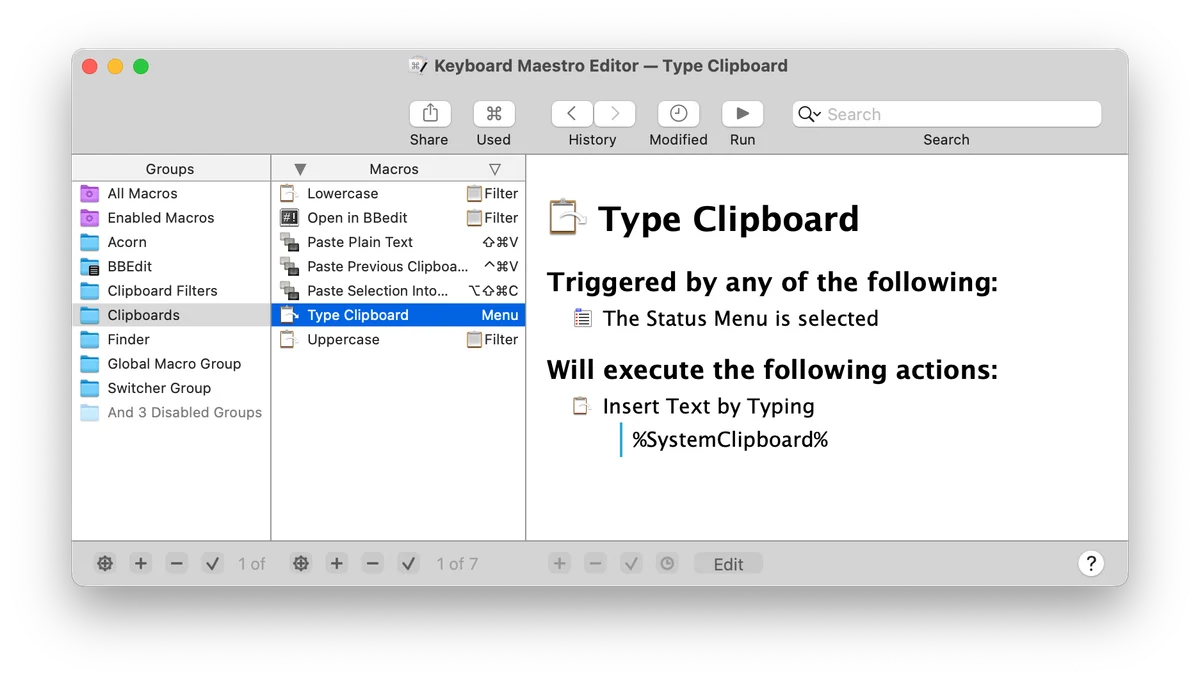
- Build macros from triggers and hundreds of actions so a repeated Mac task can combine application control, text, images, clipboard work, calculations, scripts, and web actions.
- Run a macro from a hot key, a schedule, or other trigger instead of manually repeating the same sequence in each application.
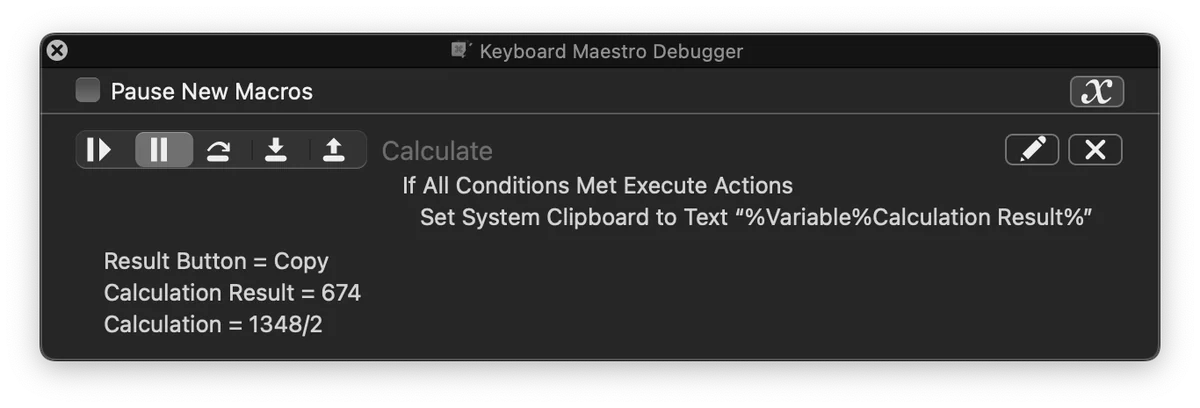
- Use the macro editor, Macro Wizard, and debugger to create and inspect an automation before relying on it in a daily workflow.
- Install the current universal Keyboard Maestro 11.1.1 build on a Mac that meets its documented macOS requirement; the inspected official artifact contains x86_64 and arm64 executables.
Ways to use it
- Assign a hot key to open a working application set, arrange its windows, and prepare a repeatable desktop layout before starting a focused task.
- Create a macro that assembles recurring text, clipboard, calculation, or web-form steps, then debug it with the official Macro Debugger before using it for a live process.
- Schedule a morning setup or trigger a macro when an application state changes, while keeping the always-running Keyboard Maestro Engine available to process the trigger.
Before you download
- Keyboard Maestro 11 is a one-time license for version 11, not a subscription, and Stairways Software says a future major version may require a paid upgrade.
- The license is per user and permits one individual to use it on up to five Macs; teams or shared machines should review the current license terms before purchase.
- Macros that control other applications can need macOS security permissions, so users should inspect the product's Security Settings pane and test each action before automating consequential work.
Sources and last checked
This overview uses official or authorized sources, not hands-on testing. Each link shows what was checked and when. Prices, compatibility, and availability can change.
- Developer website · keyboardmaestro.com
https://www.keyboardmaestro.com/main/
Checked
App details · Mac requirements · App images · Features and usage
Checked
Mac requirements
- Pricing · keyboardmaestro.com
https://www.keyboardmaestro.com/main/store
Checked
Features and usage
Checked
Pricing
Checked
Mac requirements · Downloads
- Help and support · wiki.keyboardmaestro.com
https://wiki.keyboardmaestro.com/Home_Page
Checked
App details · App images · Features and usage
Checked
Mac requirements
- Help and support · wiki.keyboardmaestro.com
https://wiki.keyboardmaestro.com/manual/Screenshots
Checked
App details · App images · Features and usage
Checked
Mac requirements
- Release notes · download.keyboardmaestro.com
https://download.keyboardmaestro.com/
Checked
Mac requirements · App images · Features and usage
Checked
Mac requirements
 Developer website · keyboardmaestro.com
 Pricing · keyboardmaestro.com
 Help and support · wiki.keyboardmaestro.com
 Release notes · download.keyboardmaestro.com
Related apps
- AlfredAlfred is a keyboard-first Mac launcher that can search applications, files, web searches, and selected system features from one command window.By Running with Crayons · alfredapp.com
- RaycastRaycast is a keyboard-first command surface for Mac users who want to launch apps, find files, run built-in utilities, and reach smaller workflow tools without opening a chain of separate windows.By Raycast · raycast.com
- RectangleRectangle is a focused Mac utility for putting windows into repeatable positions with keyboard shortcuts, snap areas, and optional drag-based actions.By Ryan Hanson · rectangleapp.com