Utilities
Rectangle
Rectangle is a focused Mac utility for putting windows into repeatable positions with keyboard shortcuts, snap areas, and optional drag-based actions.
Free · Pricing details
Screenshots
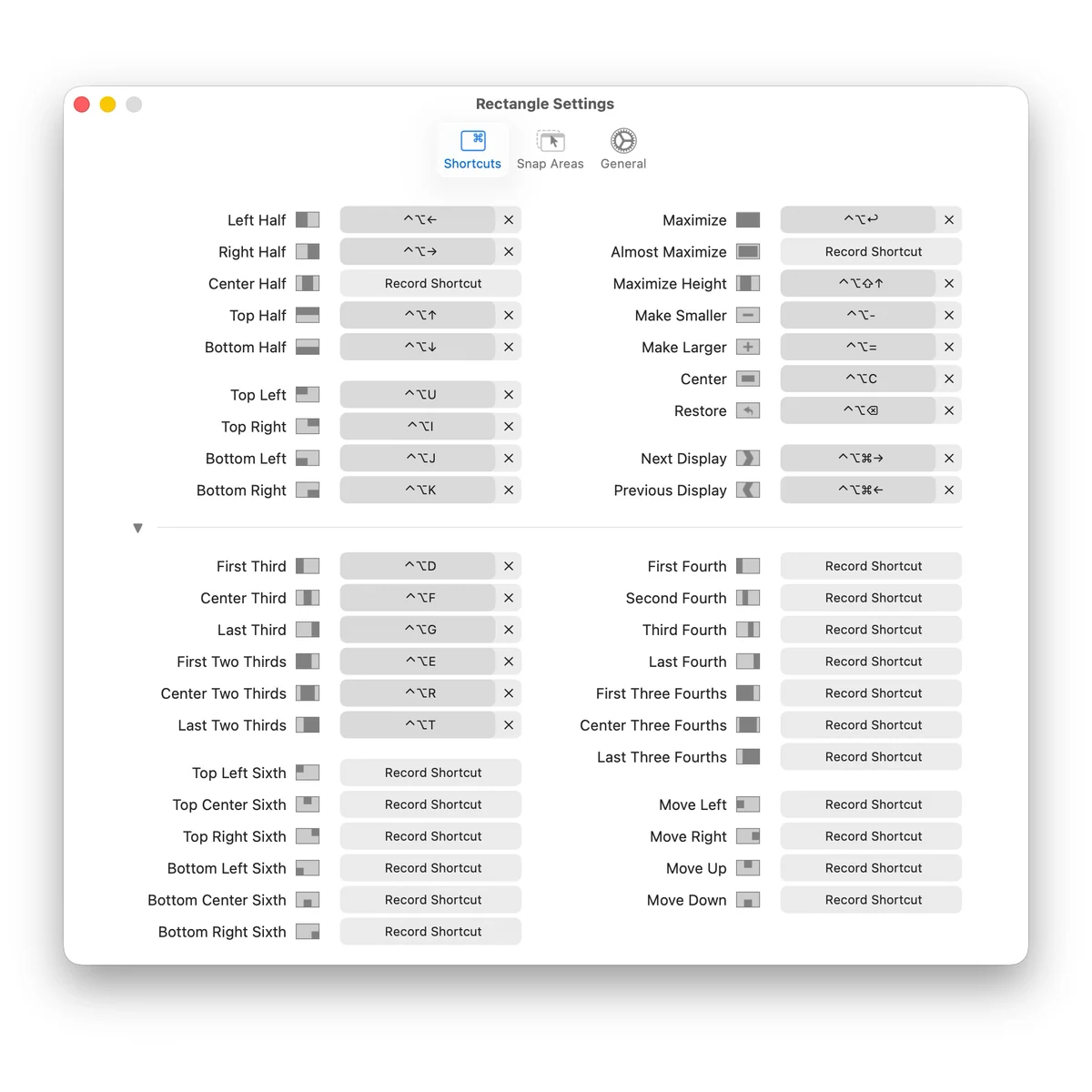
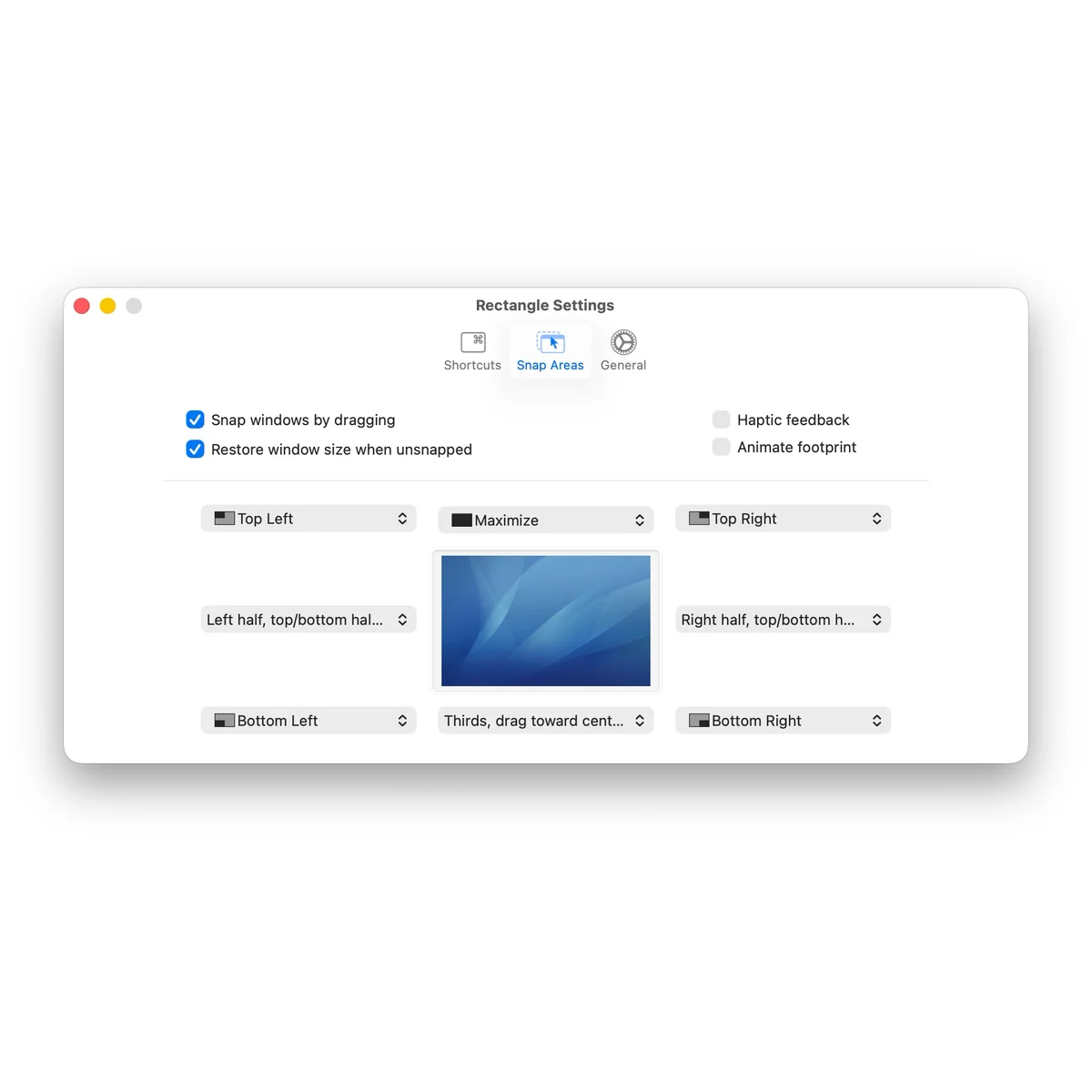
macOS 14+ for current repository version; v1.100 listed for macOS 10.15–13
Availability
Available for macOS
Apple Silicon; Intel
Mac support
macOS 14+ for current repository version; v1.100 listed for macOS 10.15–13
Overview
Overview checked .
Rectangle is a focused Mac utility for putting windows into repeatable positions with keyboard shortcuts, snap areas, and optional drag-based actions. Rather than asking users to manage another workspace, it works on the windows already open: a shortcut can move a window to a half, third, corner, or another chosen size and position. The free Rectangle app is open source and is distributed through the developer’s download and repository channels. The current official repository requires macOS 14 or later and separately lists v1.100 for macOS 10.15 through 13; the homepage’s unscoped 10.15+ label should not be treated as the current repository version’s requirement. Its settings can import or export shortcut and preference data as JSON, which is useful when standardizing a personal setup across Macs. Rectangle Pro is a separate paid product with a 10-day trial, custom size and position shortcuts, and additional gesture-oriented controls; it should not be assumed to be part of the free app. Window-management tools need Accessibility access to act on other app windows, so users should understand and approve that system permission. Rectangle is a good fit for people who repeatedly tile two or three working windows and want predictable shortcuts. It is less useful for someone who prefers macOS's built-in tiling or who cannot grant a window utility the required accessibility permission.
What it does
- Move and resize macOS windows with keyboard shortcuts or snap areas instead of arranging every application manually.
- The current official Rectangle repository version requires macOS 14 or later. The repository separately lists v1.100 for macOS 10.15 through 13; select the intended version for your Mac.
- Add extra shortcuts for sizes and positions not shown in the main shortcut list through the app's preferences.
- Import or export the Rectangle configuration as JSON to carry shortcuts and preferences to another Mac.
- Evaluate Rectangle Pro separately when custom size and position shortcuts or gesture-oriented placement controls are needed.
Ways to use it
- Assign a shortcut for a half, third, or corner position, then arrange a browser, editor, and reference window without dragging each one into place.
- Define a snap area for a repeated screen region and use it to place a working window consistently on a large or multi-window desktop.
- Export a tested shortcut configuration before changing Macs, then import it into the new installation rather than recreating every mapping by hand.
Before you download
- Rectangle needs macOS Accessibility permission to move or resize other application windows; if that permission is revoked, the developer documents resetting and granting it again.
- The free Rectangle app and paid Rectangle Pro are separate products. Pro has a 10-day trial and additional controls, so buyers should check the current Pro terms before expecting those features in the free app.
- The current repository version requires macOS 14 or later, while v1.100 is listed for macOS 10.15 through 13. The homepage’s unscoped 10.15+ label does not establish the current version requirement; no support for macOS 10.13 or 10.14 was verified in this review.
Sources and last checked
This overview uses official or authorized sources, not hands-on testing. Each link shows what was checked and when. Prices, compatibility, and availability can change.
- Developer website · rectangleapp.com
https://rectangleapp.com/
Checked
App details · Mac requirements · App images · Features and usage
Checked
Pricing
Checked
Mac requirements · Downloads
- Source repository · github.com
https://github.com/rxhanson/Rectangle
Checked
App details · Mac requirements · App images · Features and usage
Checked
Pricing
Checked
Mac requirements · Features and usage
- Developer website · rectangleapp.com
https://rectangleapp.com/pro
Checked
Features and usage
Checked
Mac requirements
- Developer website · rectangleapp.com
https://rectangleapp.com/pro/
Checked
Pricing
 Developer website · rectangleapp.com
Related apps
- IceIce is a menu-bar manager for Mac users whose status items have grown beyond a single visible row.By Jordan Baird · icemenubar.app
- TuckTuck is a compact Mac menu-bar manager for people who can no longer fit their everyday status items into the visible bar.By Quartz Ink · usetuck.com
- AlfredAlfred is a keyboard-first Mac launcher that can search applications, files, web searches, and selected system features from one command window.By Running with Crayons · alfredapp.com