Productivity

Things 3

Things 3 is a task manager for people who want one place to capture commitments, turn them into projects, and decide what deserves attention today.

Apple SiliconIntelUS $49.99 for the Mac edition
Official destinationsUS $49.99 for the Mac edition · One time

macOS 10.15 or later

Availability

Available for macOS

Apple Silicon; Intel

Implementation

Mac desktop application

Evidence last checked

Verification

2026-08-20

Reviewed Overview

Things 3 is a task manager for people who want one place to capture commitments, turn them into projects, and decide what deserves attention today. Its Mac edition is sold separately through the App Store, so it fits best when a focused personal planning tool matters more than shared team task boards. On Mac, the workflow starts with quick capture and then moves through areas, projects, headings, checklists, dates, and tags without asking the user to construct a complex database. The built-in Today, Upcoming, Anytime, and Someday views make it practical to separate immediate work from items that are not ready yet. Things Cloud can keep the same task system available on the developer's other Apple-platform editions, but the purchase model and platform-specific licensing are worth checking before committing to a multi-device setup. The Mac trial is useful for testing Quick Entry, keyboard habits, and how the app's project structure fits an existing routine before buying. This is deliberately a calm, individual planning environment: people needing assignments, collaborative permissions, or browser-first access should evaluate those requirements separately.

Reviewed Features

  • Capture a new to-do from the Mac app or Quick Entry, then add details such as tags, a checklist, a start date, and a deadline when they are useful.
  • Break a project into named headings so milestones or categories stay visible while individual to-dos remain in order.
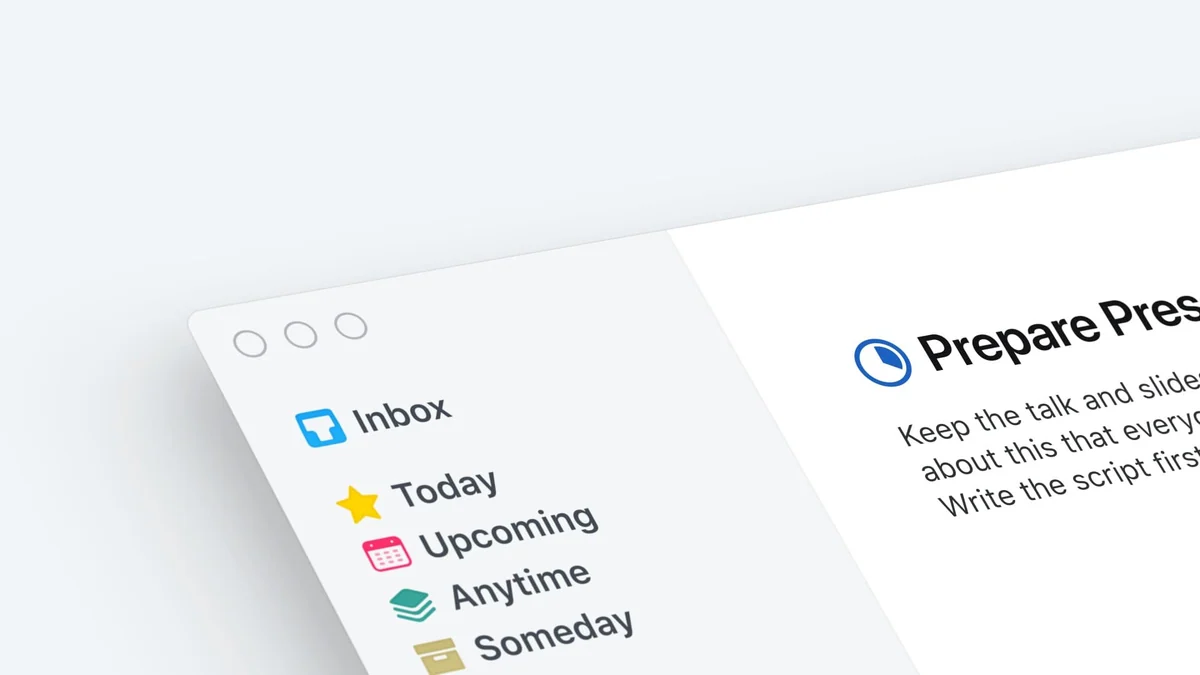
  • Use the app's date-oriented lists to distinguish today’s work, upcoming items, anytime tasks, and someday ideas.
  • Try the full Mac feature set for 15 days before purchasing, without an auto-renewing subscription.

Reviewed Workflows

  • Capture an interruption with Quick Entry, add a start date or deadline, then return to it from Today or Upcoming when it becomes actionable.
  • Use project headings for milestones and checklists for smaller multi-step work that does not need its own project.

Cautions

  • Things is a one-time purchase sold separately for Mac, iPad, iPhone, and Vision; it is not a single cross-platform subscription.
  • The current Mac app requires macOS 10.15 or later, so older Macs cannot run the current release.

Verification Sources

These official or authorized sources support only the fact groups listed with each link. They were checked on the date shown; pricing, compatibility, and availability can change.

Screenshots

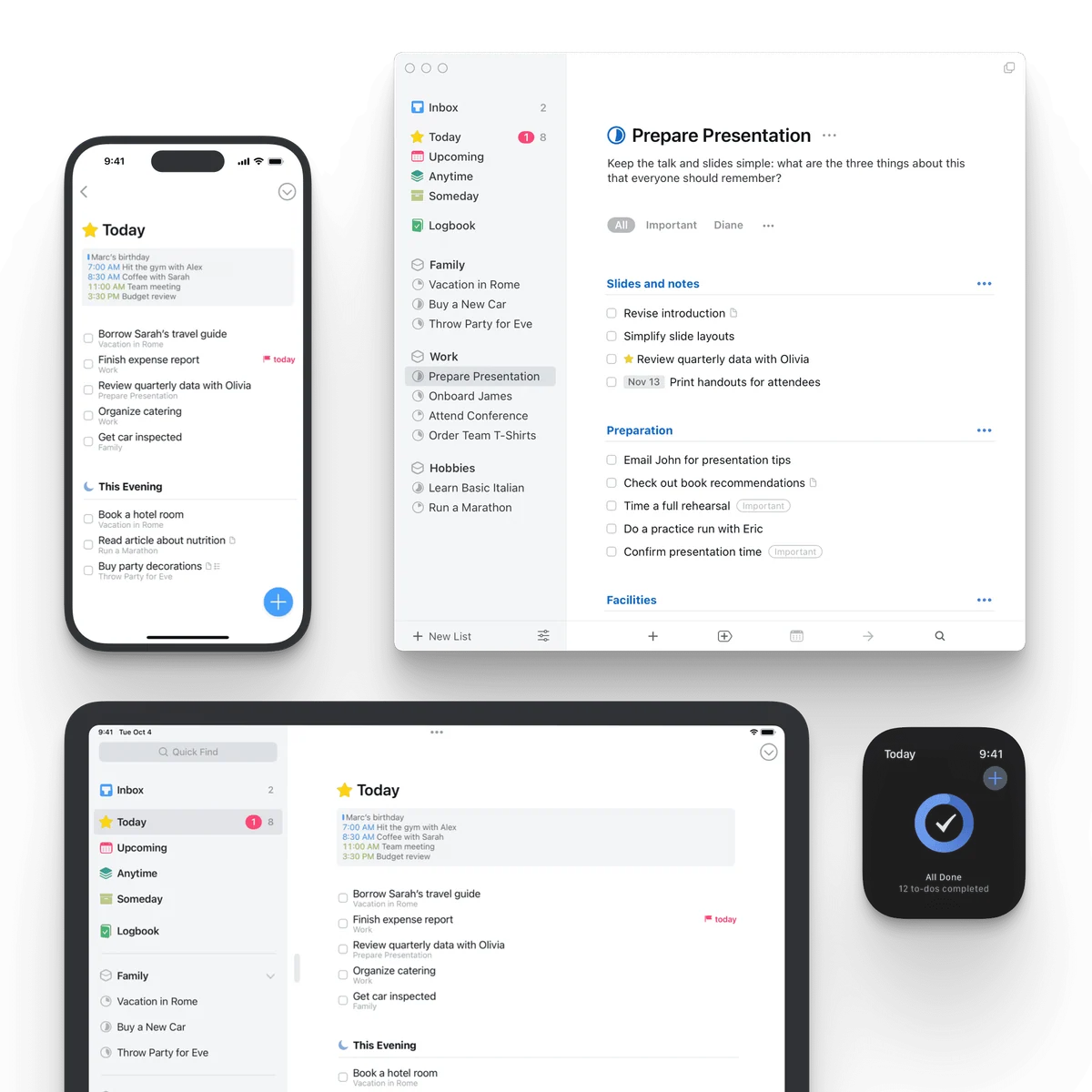
Official Things product image showing the task manager running across Apple devices.
Official Things feature collage showing to-do lists, project organization, and device views.

Reviewed Similar Apps

NotePlan

Productivity

NotePlan brings daily notes, tasks, and calendar context into a single planning surface for people who prefer working from text instead of maintaining separate notebooks and task boards. A daily note can hold ideas, checklist items, and time-sensitive work while calendar events remain visible nearby. Markdown, tags, links, search, filters, list views, and Kanban views give the system several ways to move from a quick note to a project overview without converting everything into a rigid template. The service is offered as a subscription across Mac, iPad, iPhone, and Web, with current monthly and annual plans published by the developer. Its sync choices matter: the official guidance describes local storage on Mac when using CloudKit or no sync, with synced copies stored on Apple services. That makes NotePlan a particularly good fit for a personal planning practice that benefits from daily pages, calendar-aware task planning, and text files that remain readable outside the interface. It is less suitable for buyers who want a free tier or who need to avoid a recurring subscription. The trial is the right time to test calendar connections, sync preference, and the amount of structure a daily-note habit adds to an existing workflow.

US $99 annually or US $12 monthlyApple SiliconIntel
NotePlanView details

Fantastical

Calendar

Fantastical is a calendar application for people who need to see several schedules in one Mac workspace without manually switching among accounts. Its free tier provides a basic calendar that works with existing calendars, while the current Flexibits Premium plans add the vendor's advanced features, including Fantastical Scheduling and priority support. The product page frames the app around a unified view for work and personal calendars, and the current pricing material identifies integrations with iCloud, Google, Exchange, and supported CalDAV services for invitations and availability. That can suit someone who moves between personal, company, and shared calendars, but the value of the paid tier depends on whether the premium scheduling or collaboration features are part of their routine. Fantastical is available through the Mac App Store and a direct Flexibits download. Apple lists the current Mac version as requiring macOS 12.4 or later, while local inspection of the current official Flexibits 4.1.18 ZIP found both x86_64 and arm64 executable slices. Premium is a subscription rather than a one-time Mac license, so compare the current monthly and annual terms, free-tier limits, and account or provider requirements before treating it as a replacement for the built-in Calendar app.

Free tier with paid Individual, Family, and Team subscriptionsApple SiliconIntel
FlexibitsView details

Craft

Productivity

Craft is a document and note workspace for people who want to write, arrange ideas, and share finished material without moving every project into a separate task board or database. On the Mac app, documents sit inside spaces and folders, while a document view can expose its headings as a table of contents in the sidebar. That makes it useful for a working set of notes that needs both a writing surface and a navigable structure. Craft also supports styling, media, links, tasks, calendar context, collections, sharing, and publishing, so an individual can begin with a straightforward document and add more structure only where it helps. The current free plan has a 1,500-block limit and 1 GB of storage; Plus removes content limits and adds more storage, history, and assistant capacity. That plan split matters for people who expect Craft to become a long-running reference library. Craft is available on Mac but is not Mac-only: the developer also documents iOS, Windows, and web use. Buyers should therefore try its cross-device workflow and sharing model before treating it as an offline-only notebook or a replacement for a dedicated team project-management system.

Free plan with paid Plus, Family, and Team subscriptionsApple SiliconIntel
Craft Docs LimitedView details

Included Collections