Productivity
Craft
Craft is a document and note workspace for people who want to write, arrange ideas, and share finished material without moving every project into a separate task board or database.
Free + paid options · Pricing details
Screenshots
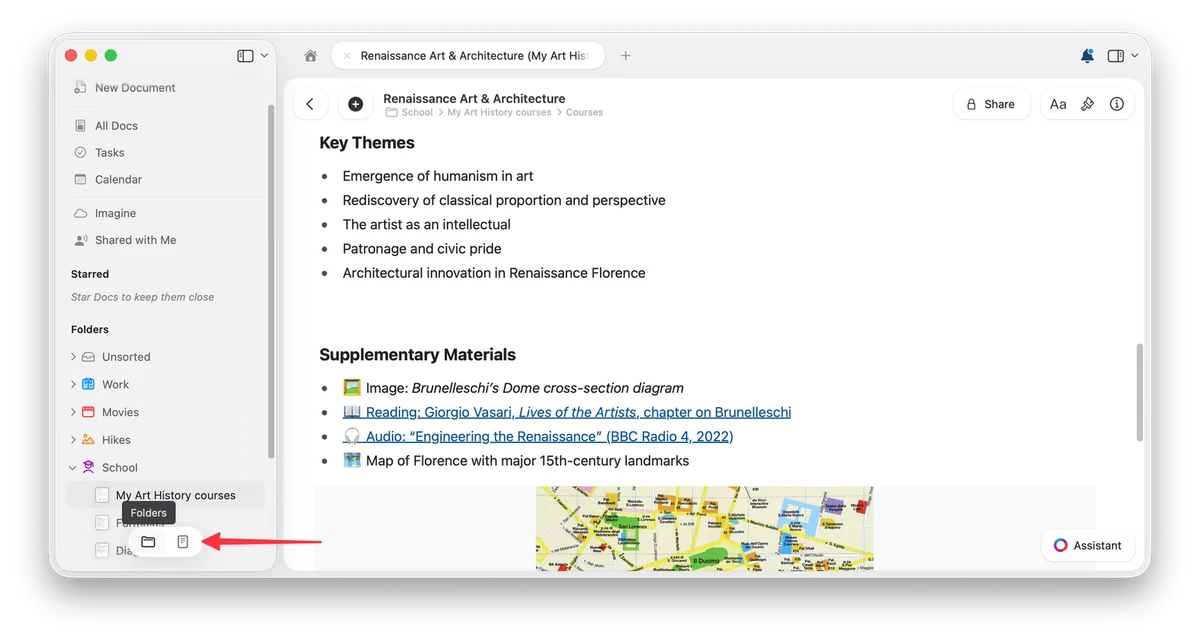
macOS 12.0 or later
Availability
Available for macOS
Apple Silicon; Intel
Mac support
macOS 12.0 or later
Overview
Overview checked .
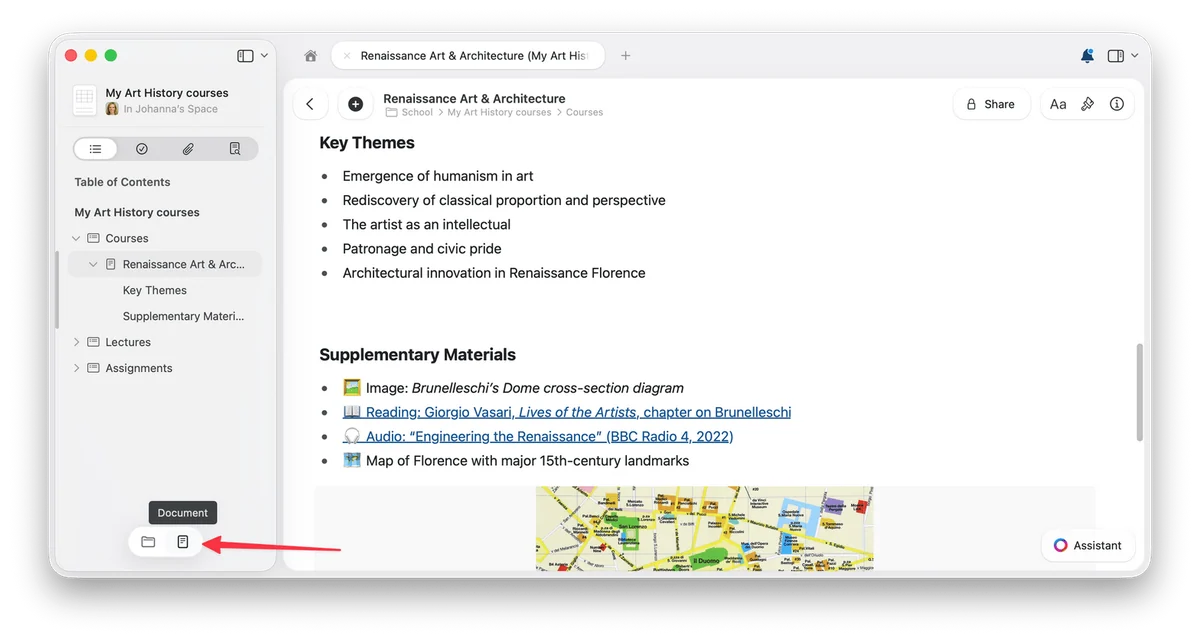
Craft is a document and note workspace for people who want to write, arrange ideas, and share finished material without moving every project into a separate task board or database. On the Mac app, documents sit inside spaces and folders, while a document view can expose its headings as a table of contents in the sidebar. That makes it useful for a working set of notes that needs both a writing surface and a navigable structure. Craft also supports styling, media, links, tasks, calendar context, collections, sharing, and publishing, so an individual can begin with a straightforward document and add more structure only where it helps. The current free plan has a 1,500-block limit and 1 GB of storage; Plus removes content limits and adds more storage, history, and assistant capacity. That plan split matters for people who expect Craft to become a long-running reference library. Craft is available on Mac but is not Mac-only: the developer also documents iOS, Windows, and web use. Buyers should therefore try its cross-device workflow and sharing model before treating it as an offline-only notebook or a replacement for a dedicated team project-management system.
What it does
- Create and style documents with formatting, media, links, and structured blocks, then reuse document styles across notes and documents.
- Use spaces, folders, document navigation, and a Mac sidebar table of contents to keep a growing set of documents reachable.
- Share a document with collaborators, a view link, an editable link, or a published link from the Mac experience.
- Choose a Free plan with 1,500 blocks and 1 GB of storage, or a paid Plus plan with unlimited documents and expanded storage.
Ways to use it
- Draft a document, use headings to create a sidebar table of contents, then return to a section without losing the wider outline.
- Organize project documents into folders and spaces, then share the finished document with a controlled access setting when feedback is needed.
Before you download
- The Free plan is capped at 1,500 blocks and 1 GB of storage; sustained document-heavy use may require a paid plan.
- Craft is cross-platform rather than Mac-only, so buyers who require an exclusively local or offline-only notes workflow should verify its sync and sharing choices first.
Sources and last checked
This overview uses official or authorized sources, not hands-on testing. Each link shows what was checked and when. Prices, compatibility, and availability can change.
- Developer website · craft.do
https://www.craft.do/
Checked
App details · Mac requirements · App images · Features and usage
Checked
Mac requirements
- Pricing · craft.do
https://www.craft.do/pricing
Checked
Features and usage
Checked
Pricing
Checked
Mac requirements · Downloads
- Help and support · support.craft.do
https://support.craft.do/en/account-and-subscription/subscription-plans
Checked
Features and usage
Checked
Pricing
- Help and support · support.craft.do
https://support.craft.do/en/introduction/navigation
Checked
App details · App images · Features and usage
Checked
Mac requirements
- App images · apps.apple.com
https://apps.apple.com/us/app/craft-notes-documents-ai/id1487937127?platform=mac
Checked
App images
Checked
Pricing
Checked
Mac requirements
- Help and support · support.craft.do
https://support.craft.do/en/introduction/documents/manage
Checked
App details · App images · Features and usage
Checked
Mac requirements
- Developer website · craft.do
https://www.craft.do/customize
Checked
App details · App images · Features and usage
 Developer website · craft.do
 Pricing · craft.do
 Help and support · support.craft.do
Related apps
- BearBear is a Mac note editor for people who prefer a writing surface that stays close to plain text while still offering the structure needed for a personal notebook.By Shiny Frog · bear.app
- NotePlanNotePlan brings daily notes, tasks, and calendar context into a single planning surface for people who prefer working from text instead of maintaining separate notebooks and task boards.By NotePlan · noteplan.co
- SoulverSoulver is a notepad-style calculator for people who would rather write a short line of reasoning than construct every calculation through a traditional keypad.By Acqualia · soulver.app