
Design
Acorn
Acorn is a desktop image editor for Mac users who want layers, selection tools, filters, and export controls without committing a project to a subscription service.
One-time purchase · Pricing details
Screenshots
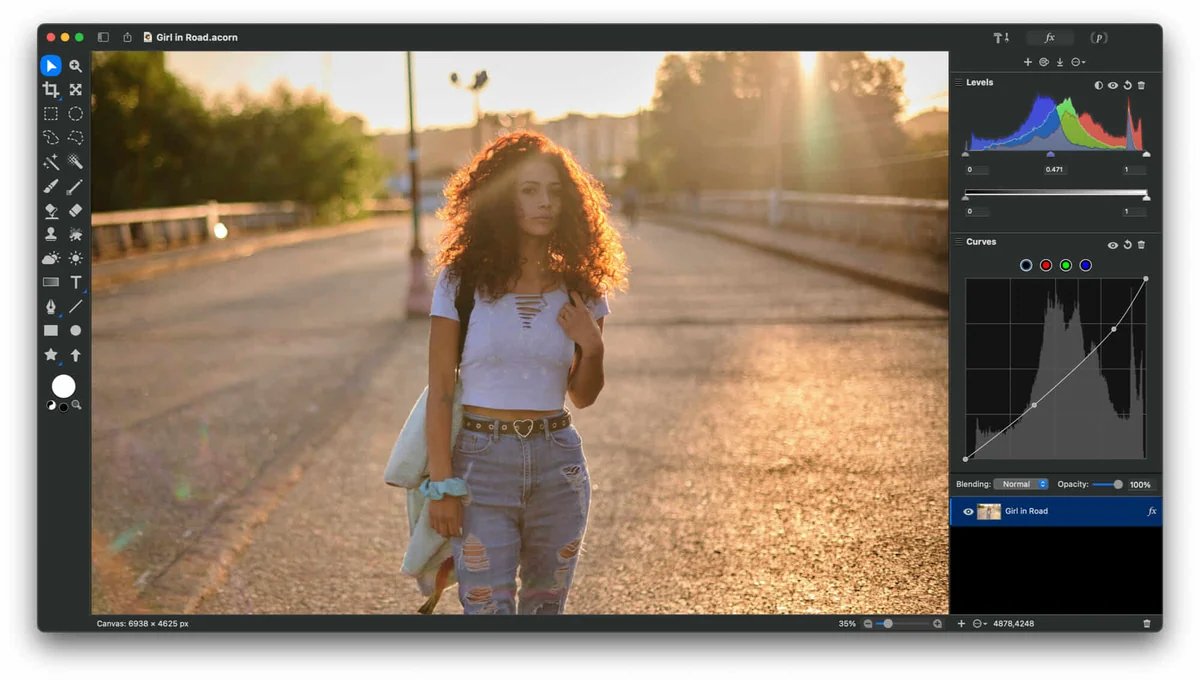
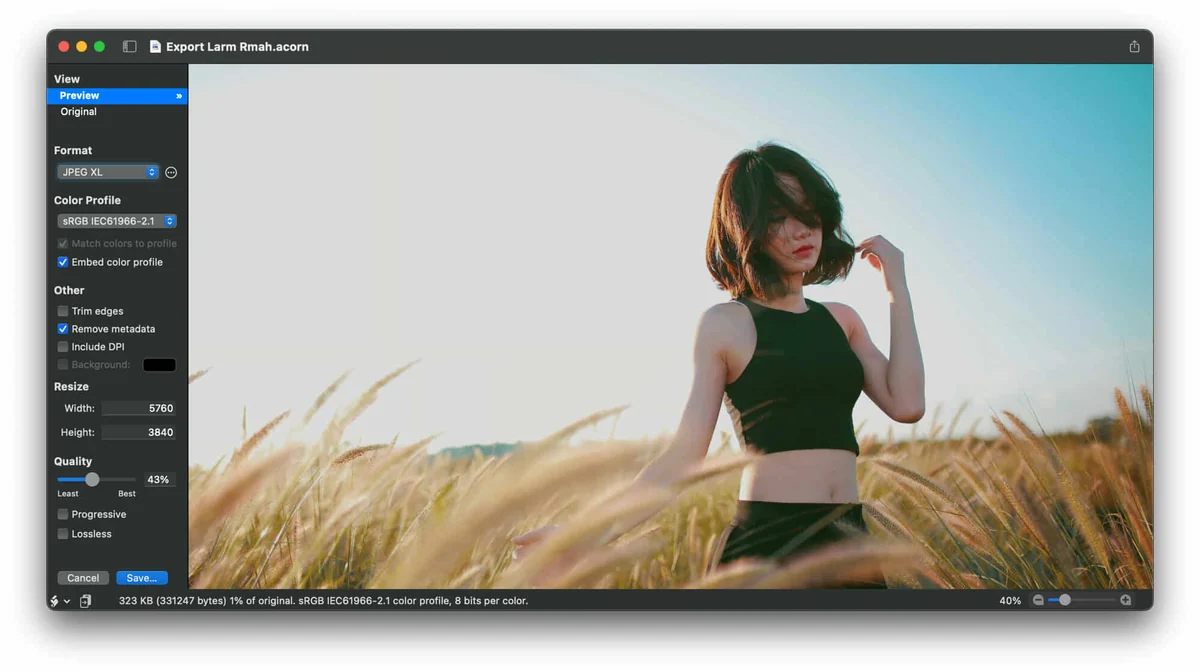
macOS 14 or later
Availability
Available for macOS
Apple Silicon; Intel
Mac support
macOS 14 or later
Overview
Overview checked .
Acorn is a desktop image editor for Mac users who want layers, selection tools, filters, and export controls without committing a project to a subscription service. The current Acorn 8 product page describes a single-window editor, image layers, vector and text tools, filters, file import, and output settings for common image formats. The official product page now identifies Acorn 8.6.3 and requires macOS 14 or later. The earlier read-only inspection of Acorn 8.6.1 found x86_64 and arm64 slices; that CPU observation does not establish the contents of the current 8.6.3 package. Acorn's purchase page offers a direct purchase path and the product page says there are no subscriptions. The useful tradeoff is version and workflow scope: current Acorn 8 needs Sonoma or newer, while its vendor points people on older Macs to a legacy release. Use the download to assess the interface and export path before purchasing, and confirm the current price, upgrade terms, and required macOS version when a team or client workflow depends on them.
What it does
- Edit layered images in Acorn's single-window Mac workspace with image, vector, and text tools rather than a collection of floating palettes.
- Use filters and color tools while working on a canvas, then keep edits in Acorn's native document format when the project needs to remain editable.
- Export artwork in formats including PNG, JPEG, GIF, WebP, PSD, PDF, and SVG with format-specific output controls.
- The official product page now lists Acorn 8.6.3 for macOS 14 or later. The prior Intel and Apple Silicon executable-slice finding applies only to the previously inspected 8.6.1 ZIP.
Ways to use it
- Open a layered image, apply a filter or color adjustment, and retain an editable Acorn document before exporting a web or print derivative.
- Prepare a visual asset by combining text and vector elements with an image, then select a final output format and compression setting in the export workflow.
- Download the current build for the Mac architecture, inspect the editor with a test image, and decide whether its direct-purchase model fits the ongoing editing work.
Before you download
- Acorn 8 currently requires macOS 14 or later; Flying Meat directs people on older macOS versions to the separately maintained Acorn 7.4.6 legacy release.
- The vendor describes the current product as having no subscriptions, but price and upgrade terms are current purchase facts and should be checked on the official purchase page before buying.
- The Intel and Apple Silicon finding is limited to the downloaded official Acorn 8.6.1 artifact inspected on the verification date; it is not a claim about every historical release.
Sources and last checked
This overview uses official or authorized sources, not hands-on testing. Each link shows what was checked and when. Prices, compatibility, and availability can change.
- Developer website · flyingmeat.com
https://flyingmeat.com/acorn/
Checked
App details · Mac requirements · App images · Features and usage
Checked
Mac requirements · Features and usage
- Pricing · flyingmeat.com
https://flyingmeat.com/store/?addapp=AC8
Checked
Features and usage
Checked
Pricing
Checked
Mac requirements · Downloads
- Release notes · flyingmeat.com
https://flyingmeat.com/download/Acorn.zip
Checked
Mac requirements · Features and usage
 Developer website · flyingmeat.com
 Pricing · flyingmeat.com
Related apps
- SketchSketch is a macOS design tool for teams and solo designers who want to build interface layouts, reusable components, design systems, and interactive prototypes in a dedicated desktop app.By Sketch B.V. · sketch.com
- ShottrShottr is a compact macOS screenshot application for people who need to capture an image and immediately mark it up, measure it, or pull text from it.By Shottr · shottr.cc
- Screen StudioScreen Studio is a macOS screen recorder and editor for people who need a short product demo, tutorial, or visual explanation without assembling every camera move by hand.By Screen Studio · screen.studio