Screenshot
Screen Studio
Screen Studio is a macOS screen recorder and editor for people who need a short product demo, tutorial, or visual explanation without assembling every camera move by hand.
Subscription · Pricing details
Screenshots
macOS Ventura 13.1+ recommended; exact minimum not stated
Availability
Available for macOS
Apple Silicon; Intel
Mac support
macOS Ventura 13.1+ recommended; exact minimum not stated
Overview
Overview checked .
Screen Studio is a macOS screen recorder and editor for people who need a short product demo, tutorial, or visual explanation without assembling every camera move by hand. Its official product page describes automatic zoom around mouse actions, smoother cursor motion, adjustable cursor size, and a timeline for editing the recording; its guide documents recording selection, export controls, and visual background settings. The current official download page recommends macOS Ventura 13.1 or higher; that recommendation is not an exact minimum-system guarantee. Confirm the currently offered Mac package for your architecture before installing. Screen Studio now uses subscription access rather than its older one-time license path, and the official activation guide says legacy license keys only apply to old one-time purchases. It can still be useful to try the editor before paying because the download page says a person without an active plan can use the features but cannot export video files. The practical tradeoff is privacy and permission scope: on first launch the app requests Accessibility, camera, microphone, and Screen Recording access, and captured material can include more of a desktop or audio environment than intended. Select the narrowest recording target, review the result before sharing, and confirm the current plan and renewal terms before using it for client or team work.
What it does
- Record macOS content and use the editor's automatic zoom, cursor-size, and smoother cursor-motion controls to make a focused walkthrough easier to follow.
- Choose a recording target with the app's picker, then use the timeline and style controls to prepare a product demo or tutorial.
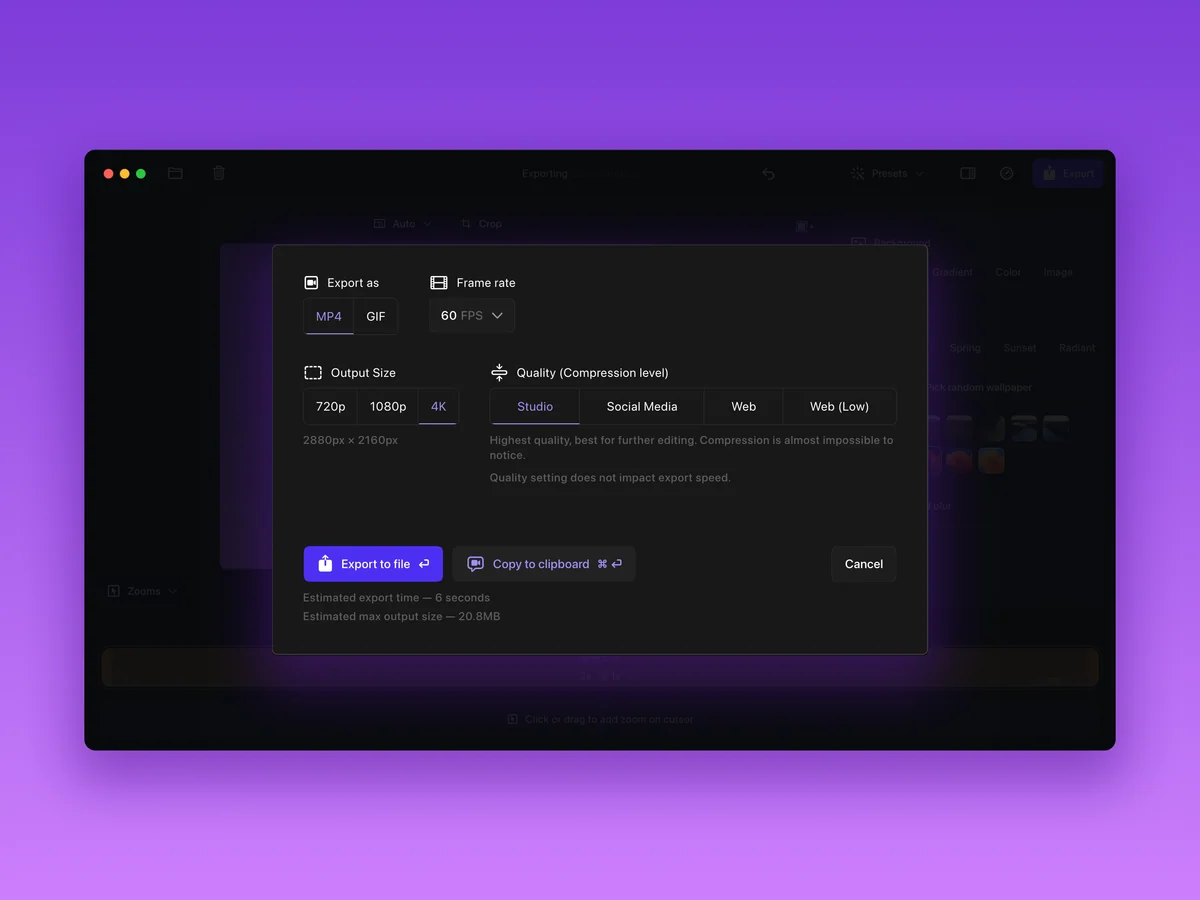
- Export a completed project as MP4 or GIF with selected frame rate, output size, and quality settings.
- The official download page recommends macOS Ventura 13.1 or higher. Confirm the current Mac download for your architecture; a recommendation and prior package observations do not guarantee current package compatibility.
Ways to use it
- Record a selected app window or display, then add or adjust zoom treatment around the important cursor actions before exporting a tutorial.
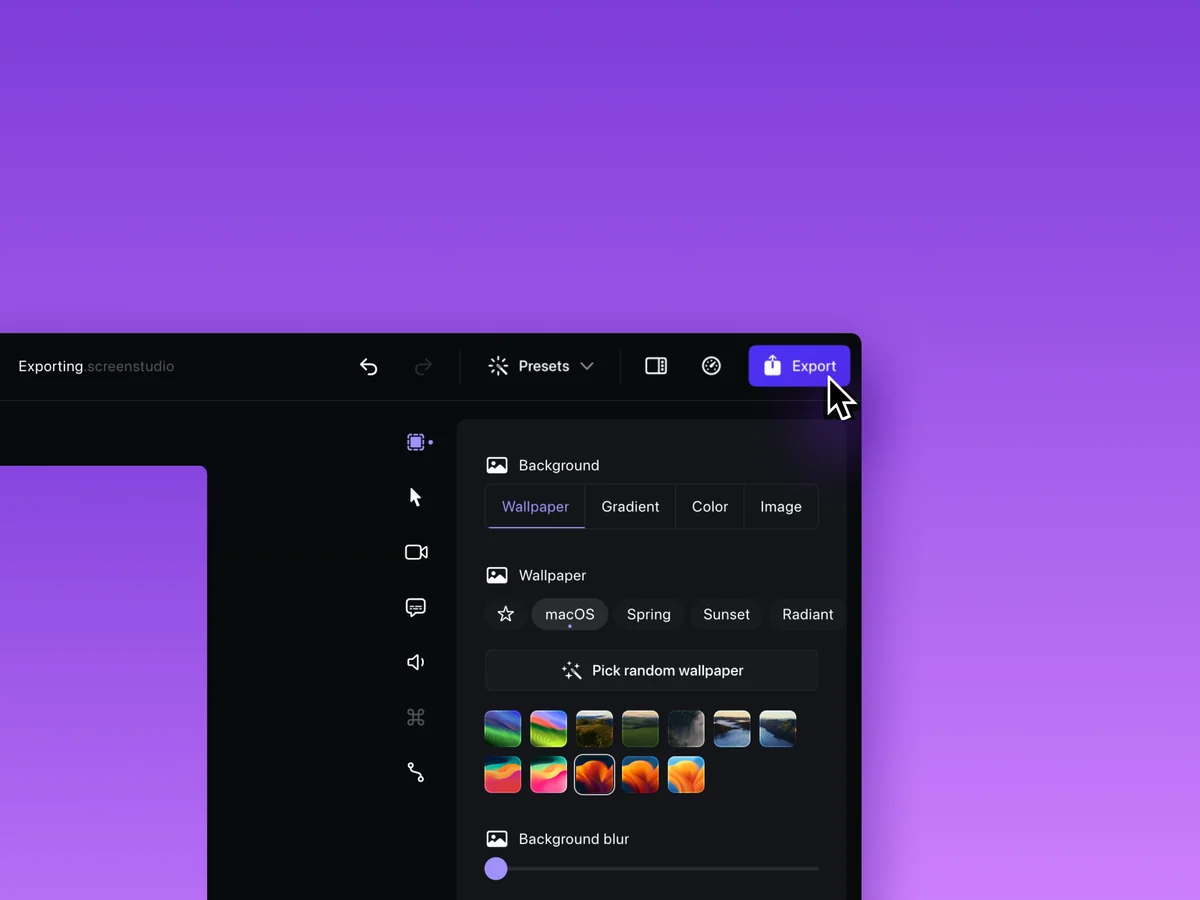
- Prepare a product demonstration by choosing a background or layout treatment around the recording, then export the reviewable MP4 or GIF file.
- Use the installed editor to assess a recording workflow before subscribing, while remembering that the official download page says an inactive plan cannot export video files.
Before you download
- On initial launch, Screen Studio requests macOS Accessibility, camera, microphone, and Screen Recording permissions; enable only the permissions needed for the planned recording.
- The current access path is a subscription; the activation guide says a license key applies only to legacy one-time purchases, so check the current plan and renewal terms before buying.
- A person without an active plan can use the current app features but cannot export video files according to the official download page, which limits evaluation-to-delivery workflows.
Sources and last checked
This overview uses official or authorized sources, not hands-on testing. Each link shows what was checked and when. Prices, compatibility, and availability can change.
- Developer website · screen.studio
https://screen.studio/
Checked
App details · Mac requirements · App images · Features and usage
Checked
Pricing
Checked
Mac requirements · Downloads
- Release notes · screen.studio
https://screen.studio/download
Checked
Mac requirements · App images · Features and usage
Checked
Pricing
Checked
Mac requirements · Features and usage
- Help and support · screen.studio
https://screen.studio/guide/setting-up-permissions
Checked
App details · App images · Features and usage
Checked
Mac requirements
- Help and support · screen.studio
https://screen.studio/guide/exporting-the-video
Checked
App details · App images · Features and usage
Checked
Mac requirements
- Help and support · screen.studio
https://screen.studio/guide/activating-screen-studio
Checked
App details · App images · Features and usage
Checked
Mac requirements
 Developer website · screen.studio
 Help and support · screen.studio
Related apps
- ShottrShottr is a compact macOS screenshot application for people who need to capture an image and immediately mark it up, measure it, or pull text from it.By Shottr · shottr.cc
- AcornAcorn is a desktop image editor for Mac users who want layers, selection tools, filters, and export controls without committing a project to a subscription service.By Flying Meat · flyingmeat.com
- SketchSketch is a macOS design tool for teams and solo designers who want to build interface layouts, reusable components, design systems, and interactive prototypes in a dedicated desktop app.By Sketch B.V. · sketch.com