Screenshot
Shottr
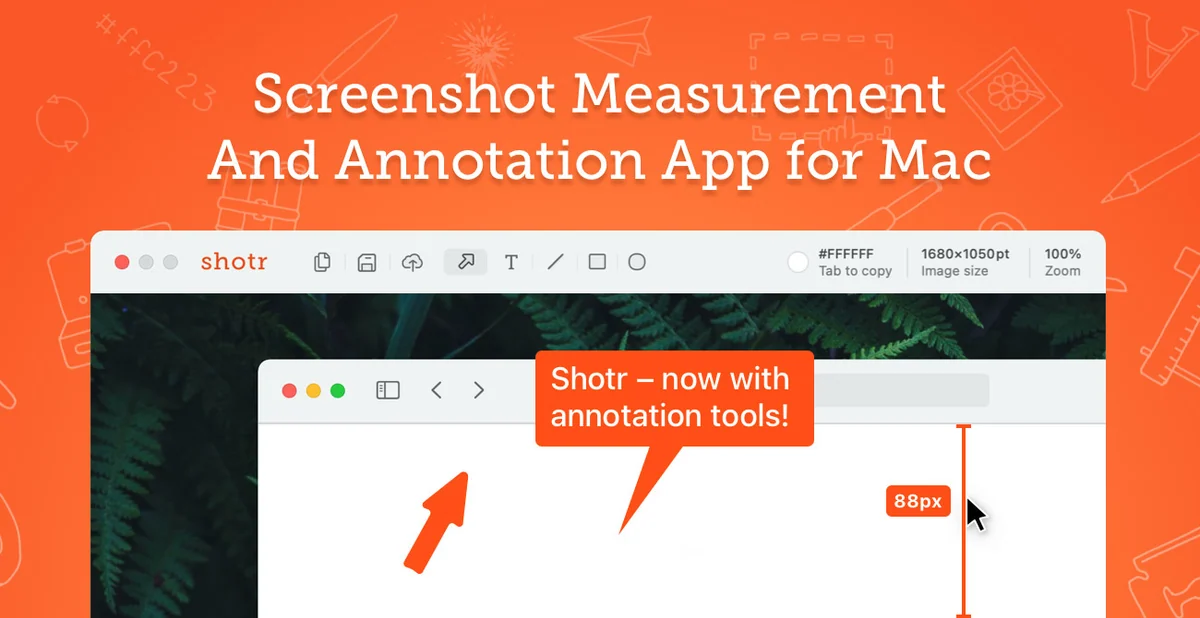
Shottr is a compact macOS screenshot application for people who need to capture an image and immediately mark it up, measure it, or pull text from it.
Free + paid options · Pricing details
Screenshots
macOS 10.15 or later (current Shottr 1.9.3 product requirement)
Availability
Available for macOS
Apple Silicon; Intel
Mac support
macOS 10.15 or later (current Shottr 1.9.3 product requirement)
Overview
Overview checked .
Shottr is a compact macOS screenshot application for people who need to capture an image and immediately mark it up, measure it, or pull text from it. The official product page lists scrolling screenshots, OCR, annotation, and measurement among its tools, and it describes the app as native and optimized for Apple Silicon. The official product page now advertises Shottr 1.9.3, links a 1.9.3b DMG, and states macOS 10.15 or later. The previously inspected 1.9.1 application contained Intel and Apple-silicon slices; the current DMG architecture was not checked in this maintenance review. You can download the basic app from Shottr's site, while its purchase page describes paid Basic and Friends Club options as one-time purchases rather than subscriptions; a commercial-use license is required for commercial work. Shottr is most useful when the screenshot itself is disposable and the result needs light visual explanation, such as a marked interface issue, a size check, or copied text. Screen capture necessarily intersects with other apps and windows, so review the exact capture boundary before sharing. The vendor also documents that the app contacts its service for updates and license validation and sends optional telemetry that can be turned off in preferences. Treat captured images as potentially sensitive even when the editor feels quick and lightweight.
What it does
- Capture and edit screenshots with scrolling capture, OCR, annotation, and measurement tools in one macOS application.
- The official page lists Shottr 1.9.3 for macOS 10.15 or later and links a 1.9.3b DMG. The prior x86_64 and arm64 slice observation is specific to Shottr 1.9.1.
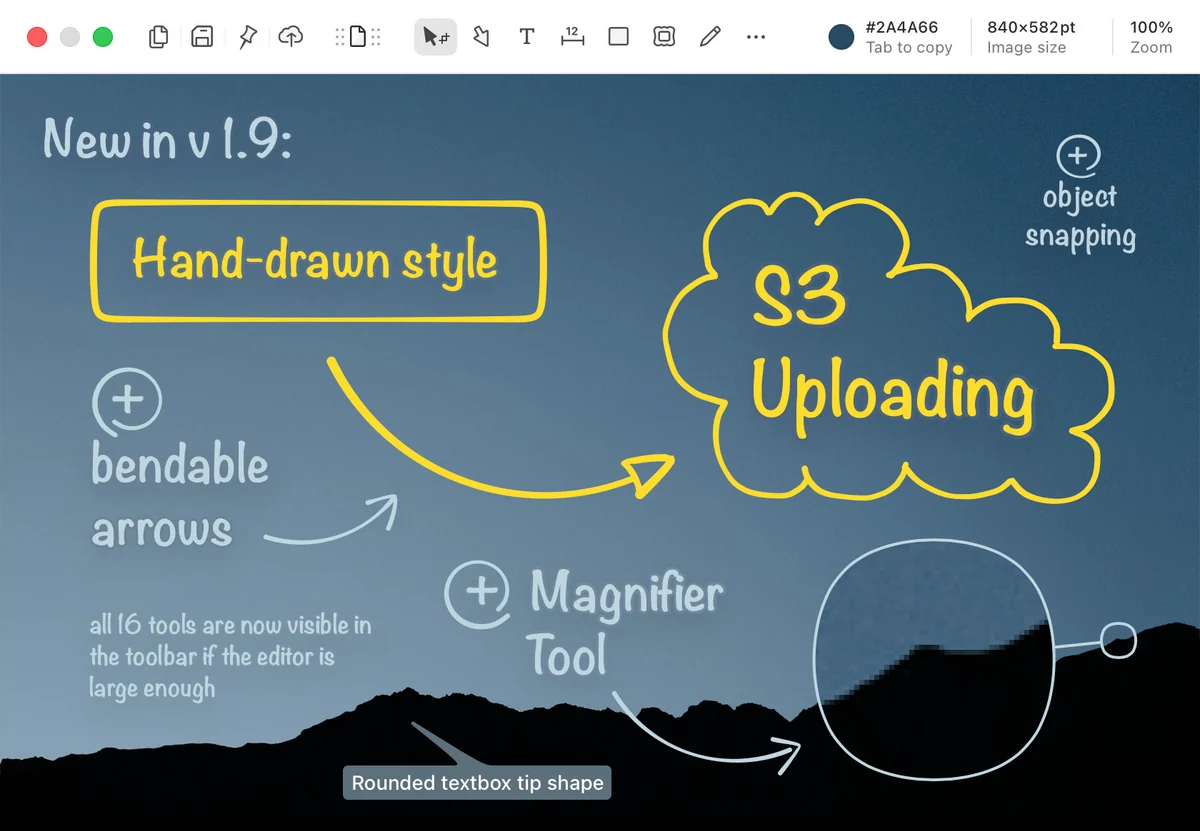
- Use editor tools for callouts, object snapping, a magnifier, and hand-drawn style annotations shown in the developer's current product media.
- Choose a one-time purchase tier if the paid features or commercial-use license fit the work; the vendor says these are not subscriptions.
Ways to use it
- Capture a long page or interface, then use Shottr's scrolling screenshot and annotation tools to prepare a concise visual explanation.
- Measure a region or inspect a color in a captured interface before handing a visual specification to a designer or developer.
- Use OCR on a screenshot when you need editable text from a visual reference, then verify the result against the original image.
Before you download
- Shottr needs macOS screen-recording permission to capture a screen correctly; review the system prompt and keep the capture boundary deliberate.
- The vendor says the app checks for updates, needs internet access to validate and activate a license, and has optional telemetry that can be disabled in preferences.
- The paid purchase is one-time rather than a subscription, but commercial work requires the appropriate license and the current purchase terms should be checked before buying.
Sources and last checked
This overview uses official or authorized sources, not hands-on testing. Each link shows what was checked and when. Prices, compatibility, and availability can change.
- Developer website · shottr.cc
https://shottr.cc/
Checked
App details · Mac requirements · App images · Features and usage
Checked
Mac requirements · Features and usage
- Pricing · shottr.cc
https://shottr.cc/purchase.html
Checked
Features and usage
Checked
Pricing
Checked
Mac requirements · Downloads
- Release notes · shottr.cc
https://shottr.cc/dl/Shottr-1.9.1.dmg
Checked
Mac requirements · App images · Features and usage
 Developer website · shottr.cc
 Pricing · shottr.cc
Related apps
- Screen StudioScreen Studio is a macOS screen recorder and editor for people who need a short product demo, tutorial, or visual explanation without assembling every camera move by hand.By Screen Studio · screen.studio
- AcornAcorn is a desktop image editor for Mac users who want layers, selection tools, filters, and export controls without committing a project to a subscription service.By Flying Meat · flyingmeat.com
- RectangleRectangle is a focused Mac utility for putting windows into repeatable positions with keyboard shortcuts, snap areas, and optional drag-based actions.By Ryan Hanson · rectangleapp.com