
Developer Tools
Nova
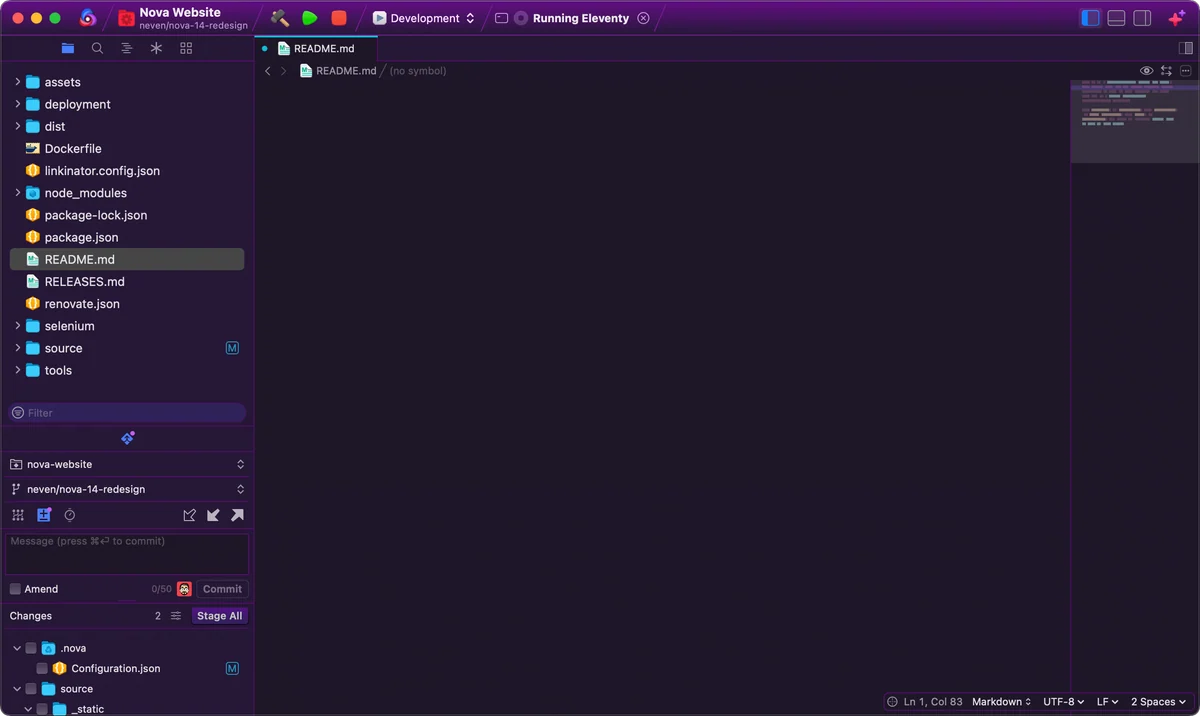
Nova is Panic's Mac-native editor and IDE for developers who want source editing, project tools, Git, debugging, and file transfer work in one desktop workspace.
One-time purchase · Pricing details
Screenshots
macOS 15.6 or later
Availability
Available for macOS
Apple Silicon; Intel
Mac support
macOS 15.6 or later
Overview
Overview checked .
Nova is Panic's Mac-native editor and IDE for developers who want source editing, project tools, Git, debugging, and file transfer work in one desktop workspace. Its product page describes native Mac frameworks and an all-in-one design rather than a browser-hosted coding environment. The current Nova 14.1 download requires macOS 15.6 or later and starts as a free, full-featured 30-day trial. A license costs $99 plus tax at the time of review, includes one year of updates, and can continue with a paid annual update option; after that first year, you can keep the version you own. Nova is particularly suitable for a developer who maintains a project alongside a remote server: the editor can work with Git, run build or custom tasks, debug code, and browse or publish remote files. Language servers and JavaScript-based extensions broaden the supported workflows, but their quality and maintenance vary. Its current operating-system requirement is a material constraint, and hosted Git integrations can involve signing in to external services. Confirm your project stack, preferred extensions, and current renewal terms before buying.
What it does
- Edit code in a Mac-native workspace with multiple cursors, a minimap, per-language settings, and built-in project tools.
- Run build, run, clean, or custom tasks from toolbar controls or keyboard shortcuts while working in a project.
- Use the built-in Git, debugging, and remote file-transfer tools instead of switching among separate interfaces for those tasks.
- Add language support, themes, sidebar tools, or validation through Nova's JavaScript extension API and bundled extension templates.
- Install the current Nova 14.1 release on macOS 15.6 or later and evaluate it through the 30-day full-featured trial.
Ways to use it
- Open a project, run a local build or custom task, and inspect debug output without leaving Nova's workspace.
- Review a Git diff, make a focused edit, then use Nova's Git controls to prepare the repository change for your normal remote workflow.
- Browse a remote server, edit or publish the intended files, and keep the local project beside the transfer view for context.
Before you download
- Nova 14.1 requires macOS 15.6 or later, so older supported Macs cannot be assumed to run the current release.
- The $99 license includes one year of updates; Panic's current purchase page lists a $49 yearly continuation option, so recheck renewal terms before purchase.
- Git sign-in and remote publishing involve third-party services or remote servers, so verify the destination and permissions before you connect or push.
Sources and last checked
This overview uses official or authorized sources, not hands-on testing. Each link shows what was checked and when. Prices, compatibility, and availability can change.
- Developer website · nova.app
https://nova.app/
Checked
App details · Mac requirements · App images · Features and usage
Checked
Pricing
Checked
Mac requirements
- Release notes · download.panic.com
https://download.panic.com/nova/Nova-Latest.zip
Checked
App images
Checked
Mac requirements
- Pricing · nova.app
https://nova.app/buy/
Checked
Pricing · Features and usage
Checked
Mac requirements · Downloads
 Developer website · nova.app
 Release notes · download.panic.com
Related apps
- TablePlusTablePlus is a native database client for Mac users who want a single desktop workspace for connecting to several database systems without moving among vendor-specific tools.By TablePlus · tableplus.com
- TransmitTransmit is Panic's macOS file-transfer client for people who regularly move files between a Mac and hosted servers or cloud storage.By Panic · panic.com
- TowerTower is a desktop Git client for Mac users who want a dedicated place to inspect a working copy, move between branches, and read diffs before they commit.By fournova · git-tower.com