
Developer Tools
Tower
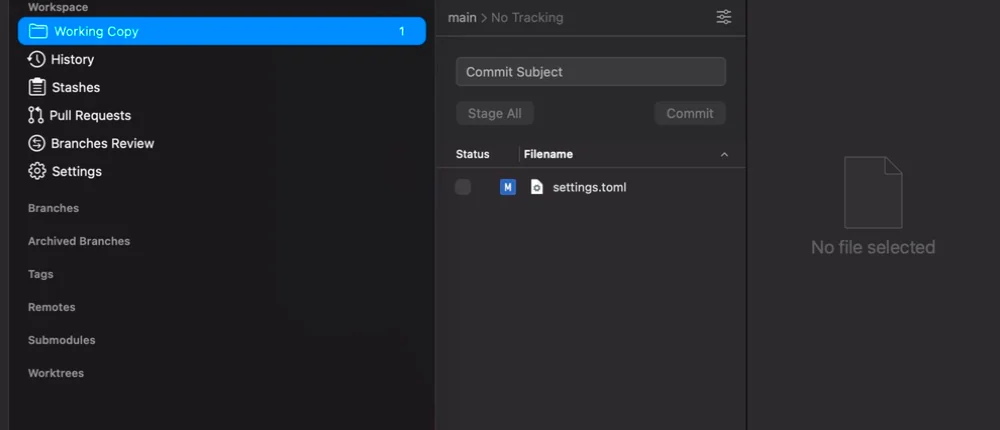
Tower is a desktop Git client for Mac users who want a dedicated place to inspect a working copy, move between branches, and read diffs before they commit.
Subscription · Pricing details
Screenshots
Declared macOS 14.0 minimum (Tower 17.3 build 558)
Availability
Available for macOS
Apple Silicon; Intel
Mac support
Declared macOS 14.0 minimum (Tower 17.3 build 558)
Overview
Overview checked .
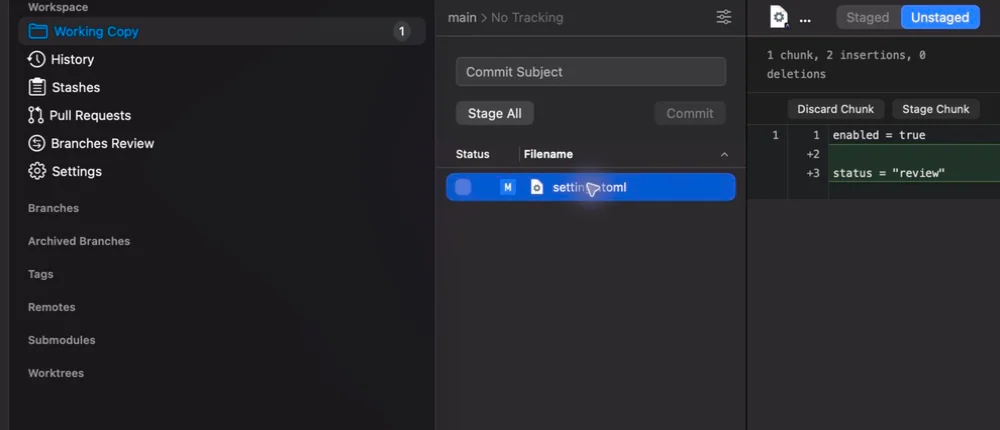
Tower is a desktop Git client for Mac users who want a dedicated place to inspect a working copy, move between branches, and read diffs before they commit. Its macOS product page frames the app around everyday repository work rather than a hosted forge, so it can be useful for people who prefer reviewing changes in a visual client while keeping the repository local. The official Mac product page now lists Tower 17.3. The previously inspected 17.1.1 build contained Intel and Apple-silicon executable slices and specified macOS 14.0; the current 17.3 package declares macOS 14.0 as its minimum; its CPU architecture was not checked in this maintenance review. Tower offers a 30-day Pro trial; its pricing page describes a subscription purchase with a license that works across the macOS and Windows versions. This is a tool for Git workflows, not a substitute for understanding what a change will do. A clear diff can help you notice an unintended edit, but it cannot decide whether a migration, generated file, or merge result is safe. Start in a disposable or non-critical repository, compare the exact files that will be staged, and keep remote operations deliberate. If the subscription route matters, confirm the current plan and renewal terms on Tower's pricing page before purchasing.
What it does
- Review a local working copy, history, branches, and diffs from Tower's macOS Git-client workspace.
- The official Mac page now lists Tower 17.3. The previously inspected Tower 17.1.1 required macOS 14.0 and included x86_64 and arm64 slices; the current 17.3 Info.plist separately declares macOS 14.0, while current CPU slices were not inspected.
- Try the Pro feature set for 30 days before deciding whether Tower fits the repository workflow.
- Use one Tower subscription license across the vendor's macOS and Windows versions.
Ways to use it
- Open a local repository and inspect each changed file before staging a focused commit.
- Compare a selected diff, then stage or discard only the intended chunk rather than treating every working-copy change as ready.
- Use branch and history views to orient yourself before preparing a local change for a later review or push.
Before you download
- The official pricing page describes Tower as a subscription product after its 30-day Pro trial, so verify the current plan and renewal terms before purchase.
- The previously inspected Tower 17.1.1 build specified macOS 14.0. The current 17.3 package independently declares macOS 14.0. The prior 17.1.1 CPU observation does not establish the architecture of the current download.
- A visual Git client still operates on the repository state you select; review staged files and remote consequences carefully before creating commits or pushing changes.
Sources and last checked
This overview uses official or authorized sources, not hands-on testing. Each link shows what was checked and when. Prices, compatibility, and availability can change.
- Developer website · git-tower.com
https://www.git-tower.com/mac
Checked
App details · Mac requirements · App images · Features and usage
Checked
Mac requirements
- Pricing · git-tower.com
https://www.git-tower.com/pricing
Checked
Features and usage
Checked
Pricing
Checked
Mac requirements · Downloads
- Release notes · git-tower.com
https://www.git-tower.com/download/mac
Checked
Mac requirements · App images · Features and usage
Checked
Mac requirements · Features and usage
 Developer website · git-tower.com
 Pricing · git-tower.com
Related apps
- NovaNova is Panic's Mac-native editor and IDE for developers who want source editing, project tools, Git, debugging, and file transfer work in one desktop workspace.By Panic · nova.app
- TransmitTransmit is Panic's macOS file-transfer client for people who regularly move files between a Mac and hosted servers or cloud storage.By Panic · panic.com
- TablePlusTablePlus is a native database client for Mac users who want a single desktop workspace for connecting to several database systems without moving among vendor-specific tools.By TablePlus · tableplus.com