
Developer Tools
TablePlus
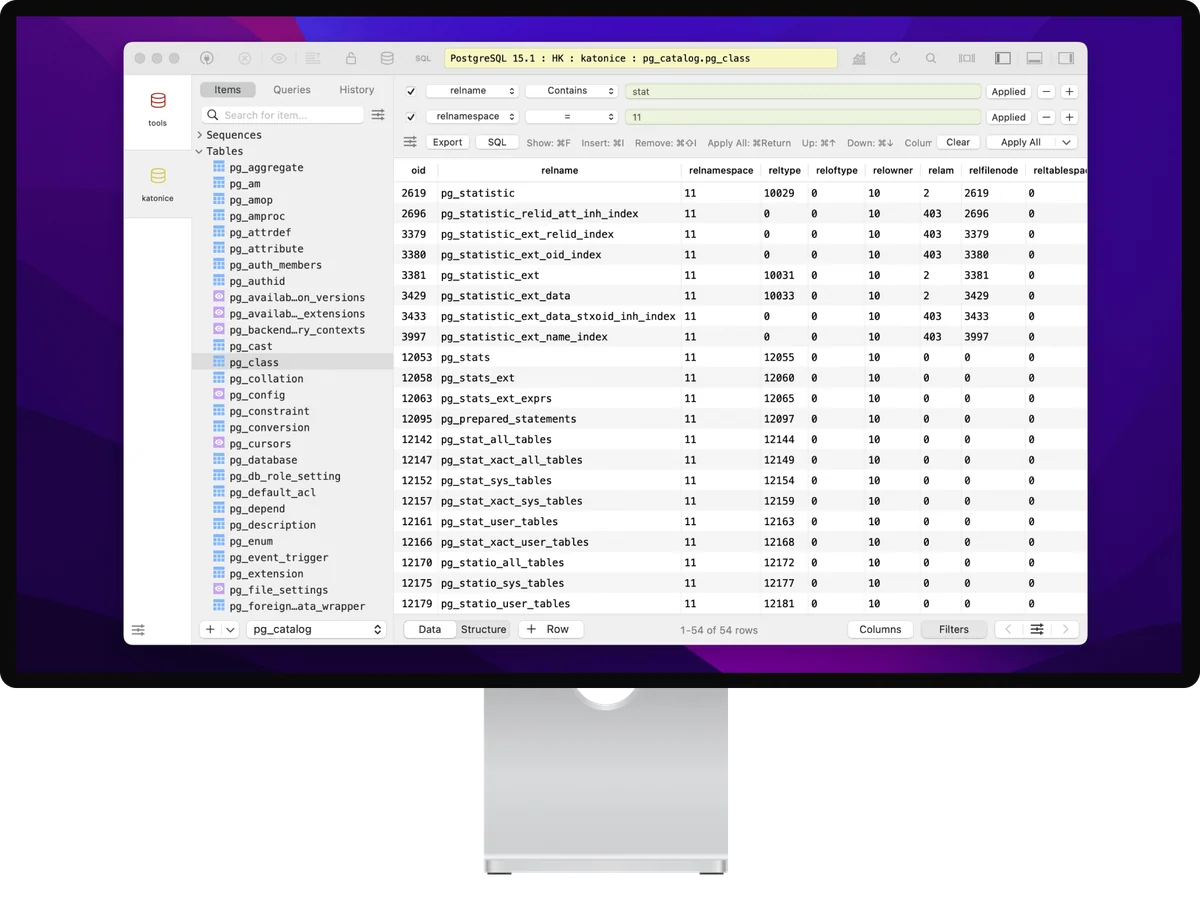
TablePlus is a native database client for Mac users who want a single desktop workspace for connecting to several database systems without moving among vendor-specific tools.
Free + paid options · Pricing details
Screenshots

macOS 10.13 or later
Availability
Available for macOS
Apple Silicon; Intel
Mac support
macOS 10.13 or later
Overview
Overview checked .
TablePlus is a native database client for Mac users who want a single desktop workspace for connecting to several database systems without moving among vendor-specific tools. The developer describes support for MySQL, PostgreSQL, SQLite, Microsoft SQL Server, Redis, MongoDB, and other listed engines; the practical value is a consistent place to inspect schemas, browse rows, and run queries across those connections. Its macOS build is described as native and supports both Intel and Apple-silicon Macs running macOS 10.13 or later. The direct license is a perpetual purchase rather than a subscription, with Basic, Standard, and Team options that differ in device or seat coverage. A trial is available, but the pricing page documents limits on opened tabs, windows, and advanced filters. After the included year of updates, the installed version continues to work, while access to later versions requires renewal. That makes it a considered fit for developers, support engineers, and database administrators who regularly compare local and remote data sources, but it is not a replacement for understanding a target database's privileges, connection settings, or change-review process. Check the current plan terms and test a real connection before buying for a shared or production-facing workflow.
What it does
- Connect to MySQL, PostgreSQL, SQLite, Microsoft SQL Server, Redis, MongoDB, and other database families listed by the developer from one desktop workspace.
- Browse tables and edit selected data with the application's inline editing tools when the connected account has the necessary database permissions.
- Use a native macOS build that the developer says supports Intel and Apple-silicon Macs running macOS 10.13 or later.
- Choose a Basic, Standard, or Team perpetual license according to the current seat and device terms instead of starting a recurring software subscription.
Ways to use it
- Open a development database connection, inspect a schema, and run a focused SQL query without leaving the same workspace.
- Compare data across supported database systems while keeping each connection's credentials and permissions under the operator's own control.
- Use the trial against a non-production database to assess tab, window, and filter limits before selecting a perpetual license.
Before you download
- The free trial is limited to two opened tabs, two opened windows, and two advanced filters; filters are unavailable on the free tier according to the current pricing page.
- A perpetual license includes one year of updates; the installed version can continue after that period, but updating to later versions requires license renewal.
- TablePlus can expose or change data only within the privileges of the database connection you supply, so use least-privileged credentials and review write operations before running them.
Sources and last checked
This overview uses official or authorized sources, not hands-on testing. Each link shows what was checked and when. Prices, compatibility, and availability can change.
- Developer website · tableplus.com
https://tableplus.com/
Checked
App details · App images · Features and usage
Checked
Mac requirements
- Pricing · tableplus.com
https://tableplus.com/pricing
Checked
Features and usage
Checked
Pricing
Checked
Mac requirements · Downloads
- Mac requirements · tableplus.com
https://tableplus.com/download
Checked
Mac requirements · App images · Features and usage
Checked
Pricing
Checked
Mac requirements
 Developer website · tableplus.com
 Pricing · tableplus.com
 Mac requirements · tableplus.com
Related apps
- NovaNova is Panic's Mac-native editor and IDE for developers who want source editing, project tools, Git, debugging, and file transfer work in one desktop workspace.By Panic · nova.app
- TransmitTransmit is Panic's macOS file-transfer client for people who regularly move files between a Mac and hosted servers or cloud storage.By Panic · panic.com
- OrbStackOrbStack is a macOS tool for running Docker containers and Linux machines from a native desktop app and command line.By OrbStack · orbstack.dev