
Productivity
OmniFocus
Capture actions, organize projects, and keep a regular review cycle.
One-time purchase · Pricing details
Screenshots
OmniFocus and the OmniFocus icon are trademarks of the Omni Group.
macOS 15.2 or later for OmniFocus 4.9.2
Availability
Available for macOS; current OmniFocus 4.9.2 requires macOS 15.2 or later
Apple Silicon; Intel
Mac support
macOS 15.2 or later for OmniFocus 4.9.2
Overview
Overview checked .
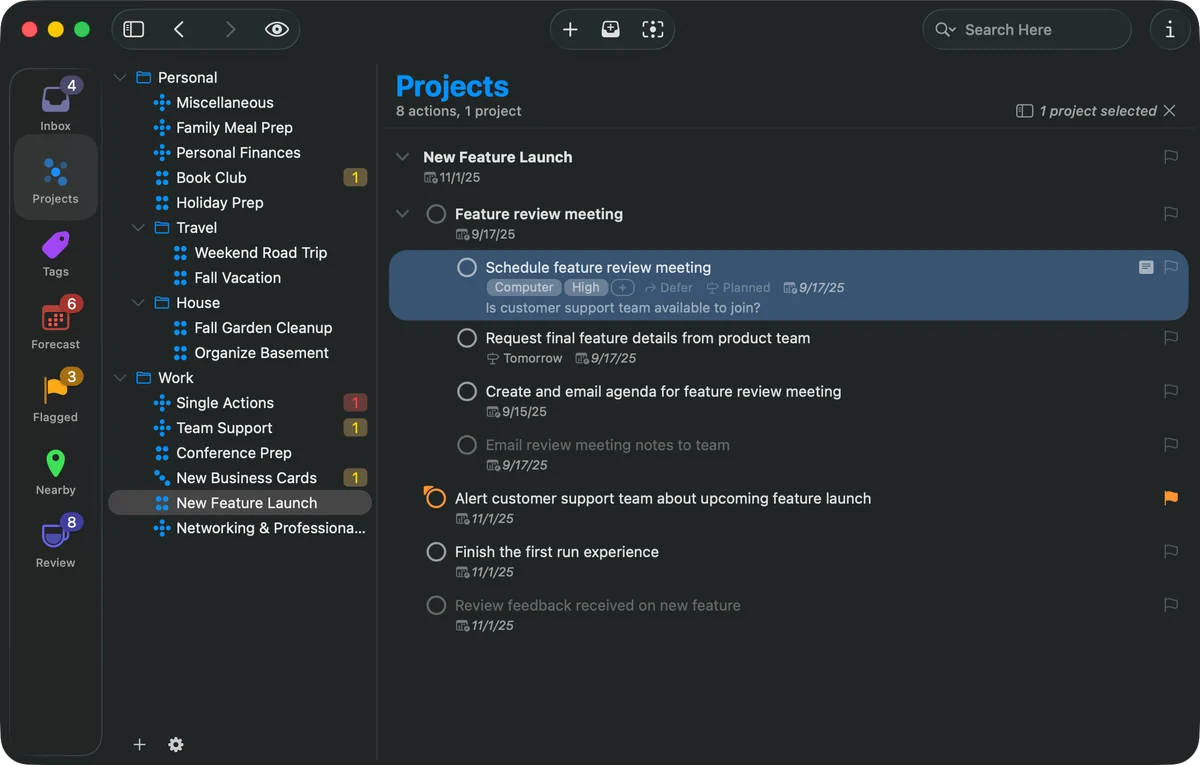
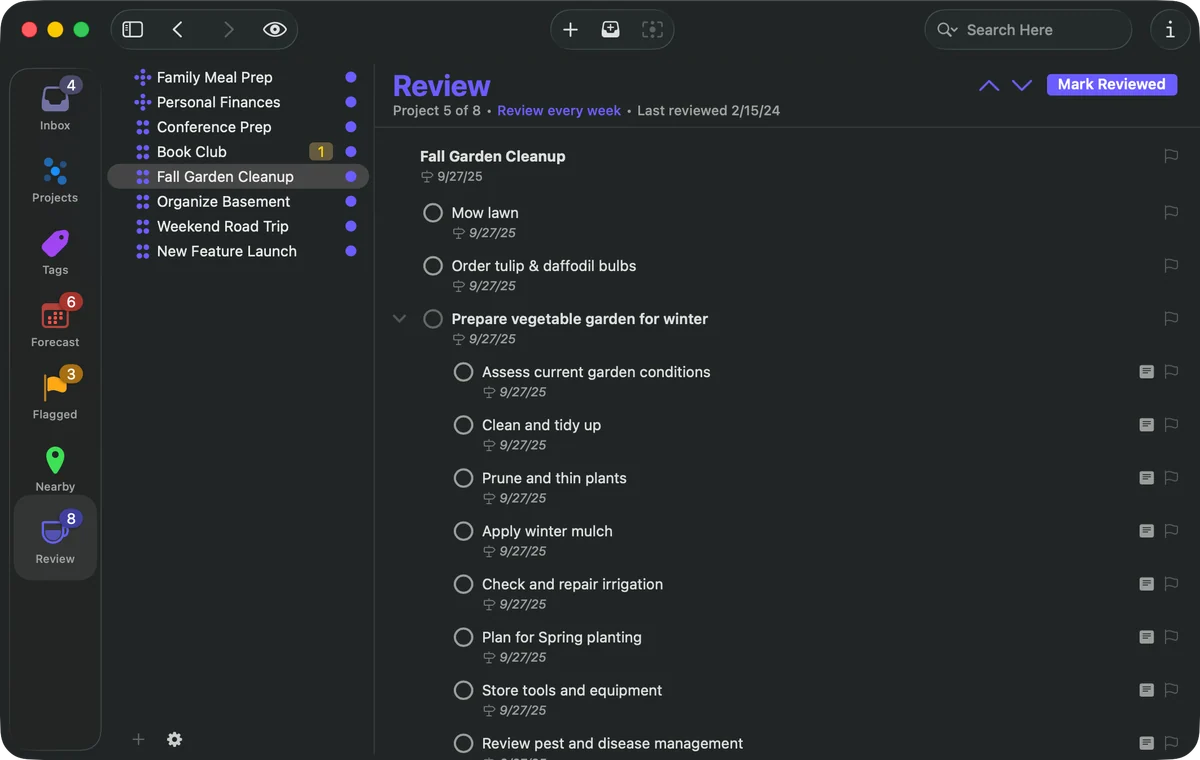
OmniFocus 4 is a structured personal task manager for turning incoming work into projects and next actions. Quick Entry and the Inbox let you collect an item before deciding where it belongs. When processing it, place it in a project or folder, add tags such as a person or place, and set due or defer dates, flags, notes, or repeat schedules. Forecast combines dated actions with calendar events, while Review brings projects back at their configured interval so you can update the plan and mark them reviewed. Some view customization and Omni Automation options require Pro. OmniFocus syncs through Omni's end-to-end encrypted service or a WebDAV server you manage, but the browser client requires Omni Sync Server and does not include calendar event integration in Forecast. The current 4.9.2 release requires macOS 15.2 or later; the Downloads archive separately lists 4.8.13 for macOS 14. The product page offers a 14-day trial. Perpetual Standard and Pro licenses, an annual Pro subscription, and a separate Web add-on are available. The prices recorded here cover the USD direct page and US App Store only. Read-only inspection of the current official 4.9.2 distribution package identifies arm64 and x86_64 slices in its main executable. This is packaged architecture evidence; the app was not installed or tested.
What it does
- Capture a task with Quick Entry or the Inbox, then add its project, tags, dates, flag, notes, or repeat schedule when processing it.
- Group actions into projects and folders; use tags for attributes such as person, location, or priority.
- Use Forecast to view dated actions alongside calendar events; calendar event integration is not available in the Web app.
- Set a review interval for projects, revisit their actions, and mark each project reviewed.
- Some customization options and Omni Automation plug-ins require Pro; AppleScript automation is Mac-only.
Ways to use it
- Capture an interruption in the Inbox, then assign a project, useful tags, and due or defer dates when processing it.
- Scan Forecast for dated actions with calendar events, then use project Review to revisit plans on their chosen cycle.
- Choose Omni Sync Server for the integrated Web companion, or configure a WebDAV server when you need to manage the sync destination yourself.
Before you download
- The current 4.9.2 release requires macOS 15.2 or later. The archive's 4.8.13 build supports macOS 14 but is an older version.
- Read-only metadata inspection of the official OmniFocus 4.9.2 Mac distribution package confirms arm64 and x86_64 slices in the main application executable. This does not establish runtime performance, full feature compatibility, or the architecture of every helper and framework. No installation or hands-on use was performed.
- Some customization and automation features require Pro. OmniFocus for the Web requires Omni Sync Server, an active connection, and a JavaScript-enabled browser; Web Forecast omits calendar event integration.
- The stated amounts are USD direct-page prices and US App Store prices only. Regional storefront prices and applicable taxes were not checked.
- The US App Store listing contains Legacy Subscription entries without billing cadence; they are not described here as current subscription offers.
- Current sources reviewed did not state a numeric database-size or registered-device quota; no unlimited-use claim is made.
- The observed USD direct offer is $74.99 for Standard or $149.99 for Pro as a perpetual v4 license including all 4.x updates and the listed Mac, iPhone, iPad, Apple Watch and Apple Vision Pro editions, with discounted future major upgrades. Pro subscription is $99.99 per year, auto-renewing, and includes Web access. Perpetual-license owners need the separate Web add-on at $4.99 per month or $49.99 per year; these direct-page amounts are not a worldwide price promise.
AI agents researched and edited this draft from official sources. Independent AI review is separate from hands-on use, which was not performed. Reproduced by permission of the Omni Group.
Sources and last checked
This overview uses official or authorized sources, not hands-on testing. Each link shows what was checked and when. Prices, compatibility, and availability can change.
- Developer website · omnigroup.com
https://www.omnigroup.com/omnifocus/
Checked
App details · Downloads · Features and usage
- Developer website · omnigroup.com
https://www.omnigroup.com/download/
Checked
App details · Mac requirements · Features and usage
- Release notes · omnigroup.com
https://www.omnigroup.com/releasenotes/omnifocus-mac
Checked
Features and usage
- Developer website · omnigroup.com
https://www.omnigroup.com/omnifocus/features
Checked
App details · Features and usage
- Pricing · omnigroup.com
https://www.omnigroup.com/omnifocus/buy/
Checked
Pricing · Features and usage
- Official source · apps.apple.com
https://apps.apple.com/us/app/omnifocus-4/id1542143627?platform=mac
Checked
Features and usage
- App images · omnigroup.com
https://www.omnigroup.com/press/
Checked
App images
 Developer website · omnigroup.com
 Pricing · omnigroup.com
Review details
- Recorded version reference
- 4.9.2 — current direct Mac download and US Mac App Store
Related apps
- Things 3Things 3 is a task manager for people who want one place to capture commitments, turn them into projects, and decide what deserves attention today.By Cultured Code · culturedcode.com
- NotePlanNotePlan brings daily notes, tasks, and calendar context into a single planning surface for people who prefer working from text instead of maintaining separate notebooks and task boards.By NotePlan · noteplan.co
- FantasticalFantastical is a calendar application for people who need to see several schedules in one Mac workspace without manually switching among accounts.By Flexibits · flexibits.com