AI
Superwhisper
Superwhisper is a macOS voice-to-text app for turning spoken input into text in the application you are already using.
Free + paid options · Pricing details
Screenshots

macOS 13.3 or later
Availability
Available for macOS
Apple Silicon; Intel
Mac support
macOS 13.3 or later
Overview
Overview checked .
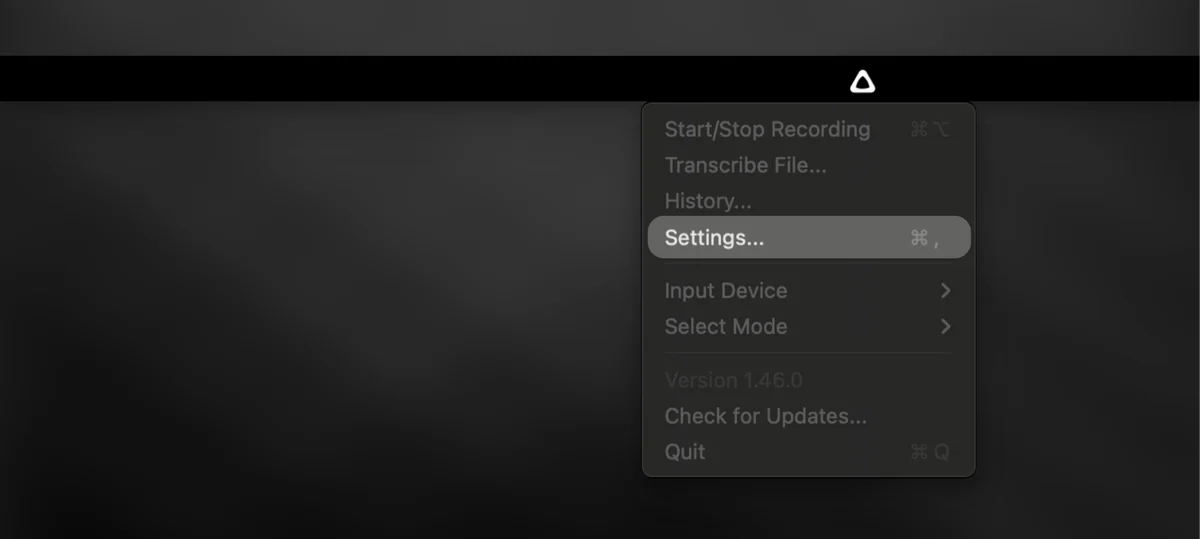
Superwhisper is a macOS voice-to-text app for turning spoken input into text in the application you are already using. Its official Mac page describes a menu-bar tool that starts from a shortcut or push-to-talk control, then types the result at the cursor without requiring an app-specific extension. Alongside live dictation, it can transcribe audio files and apply an optional second language-model step for formatting or transformation. The current download page requires macOS 13.3 or later. Superwhisper's documentation distinguishes local and cloud choices: a local voice model can keep transcription on the Mac, while cloud transcription or AI post-processing sends audio or text through the selected service. That makes model selection a material privacy and connectivity decision, not a background implementation detail. The official Pro documentation lists a free tier plus paid plans and says a Pro license covers its supported Mac, Windows, and iOS devices. Initial setup also asks the user to configure a microphone and required system permissions for dictation. It is best suited to people who regularly draft messages, notes, or technical text by voice, but it is worth testing the selected model, microphone input, and data path before dictating sensitive material or relying on cloud-assisted formatting.
What it does
- Start system-level voice dictation from a shortcut or push-to-talk control and place the resulting text in the active Mac app without installing a plugin or extension.
- Choose a local speech model for an offline transcription path, or choose a cloud voice model when the selected workflow needs server-side processing.
- Transcribe an existing audio file instead of dictating live, then use an optional language-model stage when a mode is configured to format or transform the transcript.
- Use the free voice-dictation tier for basic transcription, or select Pro for local models, custom modes, custom vocabulary, speaker separation, and expanded cloud-model access.
Ways to use it
- Hold the configured push-to-talk shortcut while writing in a Mac app, then review the inserted result before sending the message or saving the note.
- Select a local voice model and an unprocessed voice mode when offline use or keeping dictated audio on the Mac is more important than cloud-model options.
- Drop in a recorded interview or voice memo for transcription, then choose whether any optional post-processing model is appropriate for the resulting text.
Before you download
- The initial macOS setup includes microphone and system permissions for dictation, so the app cannot provide its primary live-input workflow until those permissions are configured.
- Local and cloud modes have different data paths: cloud transcription or AI post-processing can send audio or text through a service, while a fully local configuration is needed when material must stay on the Mac.
- Current paid terms vary by billing period and purchase channel; check the official Pro page before buying, especially if you need local models, custom modes, or the cross-platform license scope.
Sources and last checked
This overview uses official or authorized sources, not hands-on testing. Each link shows what was checked and when. Prices, compatibility, and availability can change.
- Developer website · superwhisper.com
https://superwhisper.com/voice-to-text-mac
Checked
App details · Mac requirements · App images · Features and usage
Checked
Mac requirements
- Release notes · superwhisper.com
https://superwhisper.com/download
Checked
App images
Checked
Mac requirements
- Pricing · superwhisper.com
https://superwhisper.com/docs/get-started/sw-pro
Checked
Features and usage
Checked
Pricing
Checked
Mac requirements · Downloads
- Help and support · superwhisper.com
https://superwhisper.com/models
Checked
App details · App images · Features and usage
Checked
Mac requirements
- Help and support · superwhisper.com
https://superwhisper.com/docs/security/sensitive-data
Checked
App details · App images · Features and usage
- Help and support · superwhisper.com
https://superwhisper.com/docs/get-started/introduction
Checked
App details · App images · Features and usage
Checked
Mac requirements
 Developer website · superwhisper.com
 Pricing · superwhisper.com
 Help and support · superwhisper.com
Related apps
- Audio HijackAudio Hijack is a Mac audio-capture application for people who need a repeatable recording setup instead of a single device input.By Rogue Amoeba · rogueamoeba.com
- BearBear is a Mac note editor for people who prefer a writing surface that stays close to plain text while still offering the structure needed for a personal notebook.By Shiny Frog · bear.app
- NotePlanNotePlan brings daily notes, tasks, and calendar context into a single planning surface for people who prefer working from text instead of maintaining separate notebooks and task boards.By NotePlan · noteplan.co